3.12
Paying out the owner
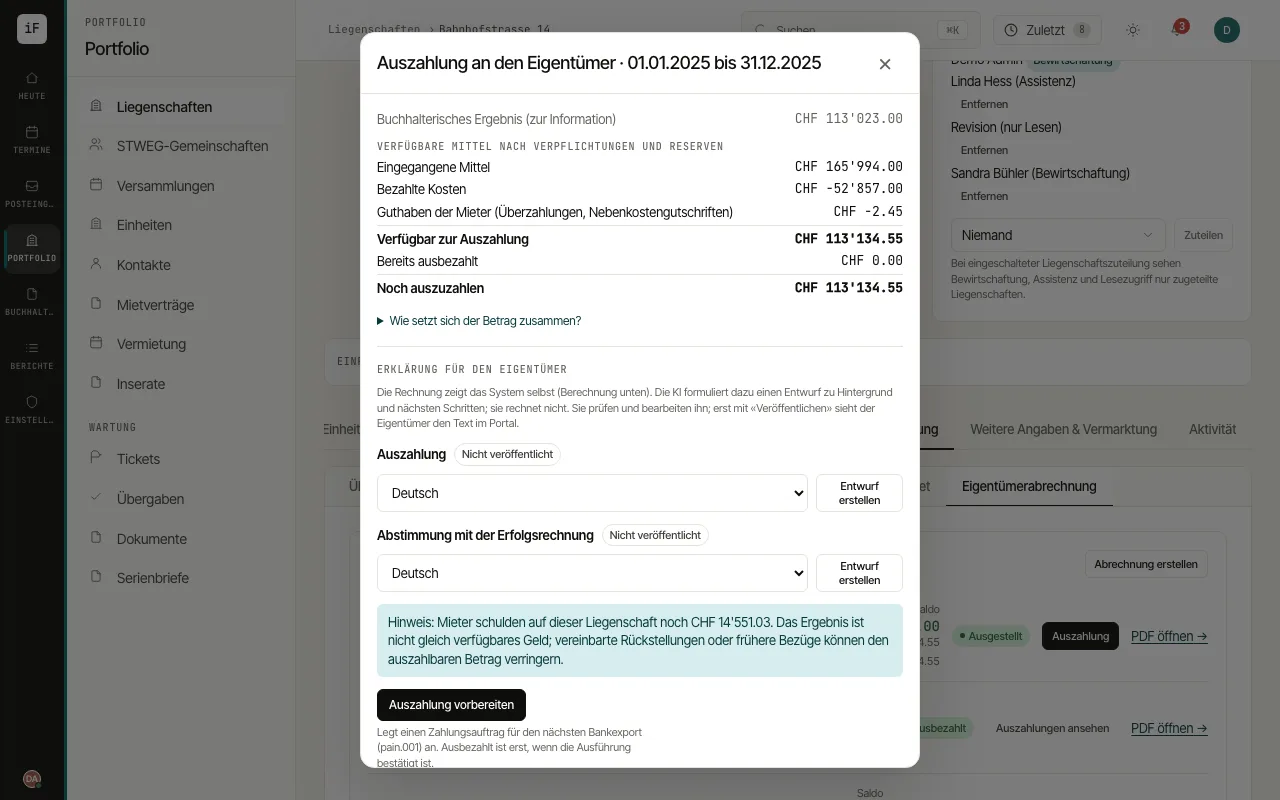
The payout dialog shows the statement amount, payments made and the remainder currently owed. You can prepare an order or record a payment that has already been made.
How to proceed
Open "Payout" on the relevant statement and check the "Still to be paid out" amount and any notes on uncovered obligations.
For a future bank payment, choose "Prepare payout" and check amount, recipient and payment date.
Continue with the resulting order in the payment run, release it if required and later confirm its actual execution.
If the payment has already been made externally, use "Record a payout already made" based on the bank record. Then check the remaining amount and the portal view.