Set the firm's details and rules
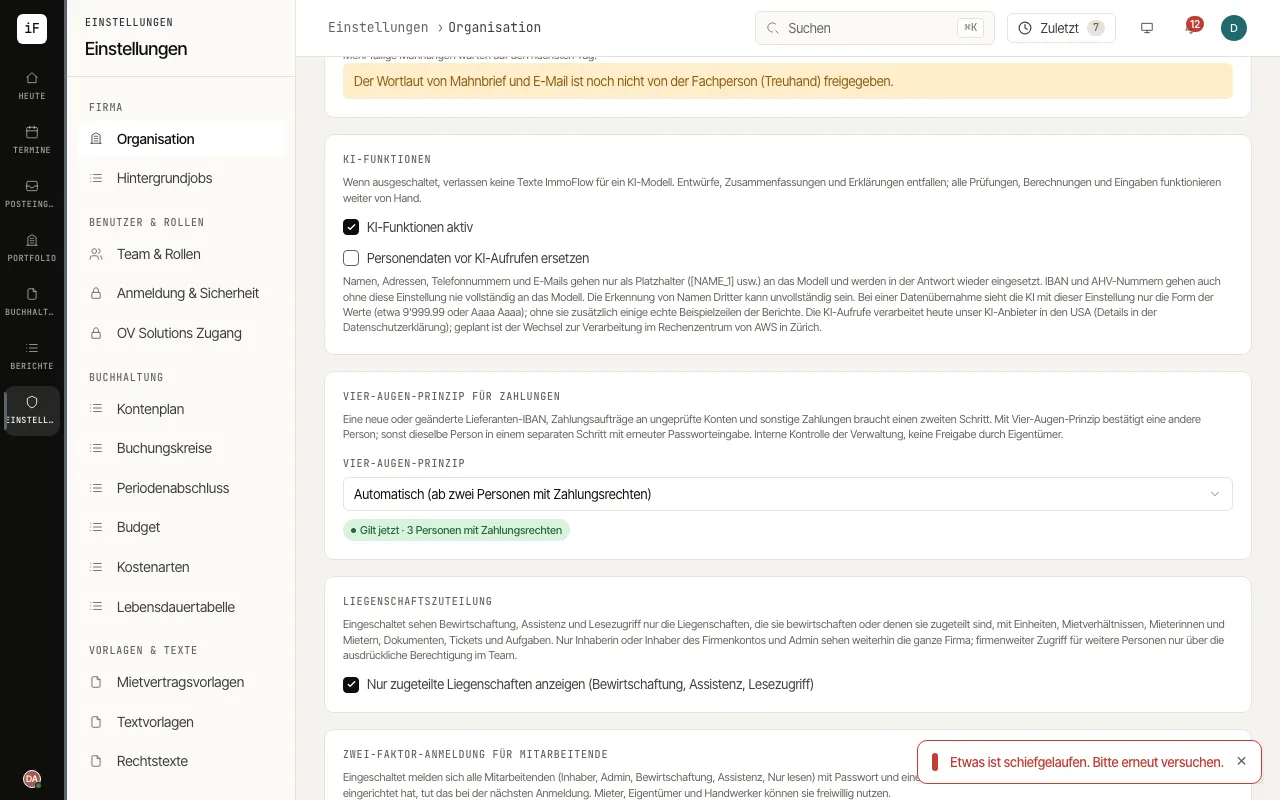
Under «Organization» you find the details printed on documents and the rules that apply to the whole firm: logo, payee, reminder fees, AI features, uploads, four-eyes principle and data protection.
Under «General details», complete the firm name, address and default language, and under «Logo» upload your logo with «Upload logo» (PNG, JPEG, WebP or SVG, at most 2 MB; an SVG is stored as PNG) for invoices and handover reports.
Under «Payment details (QR bill)», enter the payee. The account tenants pay into is chosen by each accounting book from the bank accounts.
Under «Payment reminders», set the basis for reminder fees and the maximum, and under «Automatic reminders» choose whether reminders are made by hand, with approval or automatically by e-mail.
Under «AI features», switch AI off entirely («AI features active») or, with «Replace personal data before AI calls», send names, addresses, phone numbers and e-mails to the model only as placeholders. IBANs and AHV numbers never reach the model in full, with or without this setting.
Under «Uploads and photos», set the largest file, the allowed documents and whether photos are shrunk, and save with «Save upload settings». Save the other details with «Save».