Recording bank accounts and confirming the rent account per accounting book
Each property keeps its accounts in its own accounting book. Each accounting book explicitly sets the account tenants pay into: ImmoFlow never uses an account automatically.
Enter every account once under Settings › Organization in the "Bank accounts" card with "Add account". Choose the "Use": "Rent collection account (property, owner or pooled account)" or "Firm operating account (own bills)".
Enter the "Account holder" and the "Account IBAN" as shown on the bank statements and, if needed, the "QR-IBAN (optional)". With a QR-IBAN the invoices carry a QR reference, otherwise a SCOR reference.
Compare the details with a bank document and click "Mark as checked".
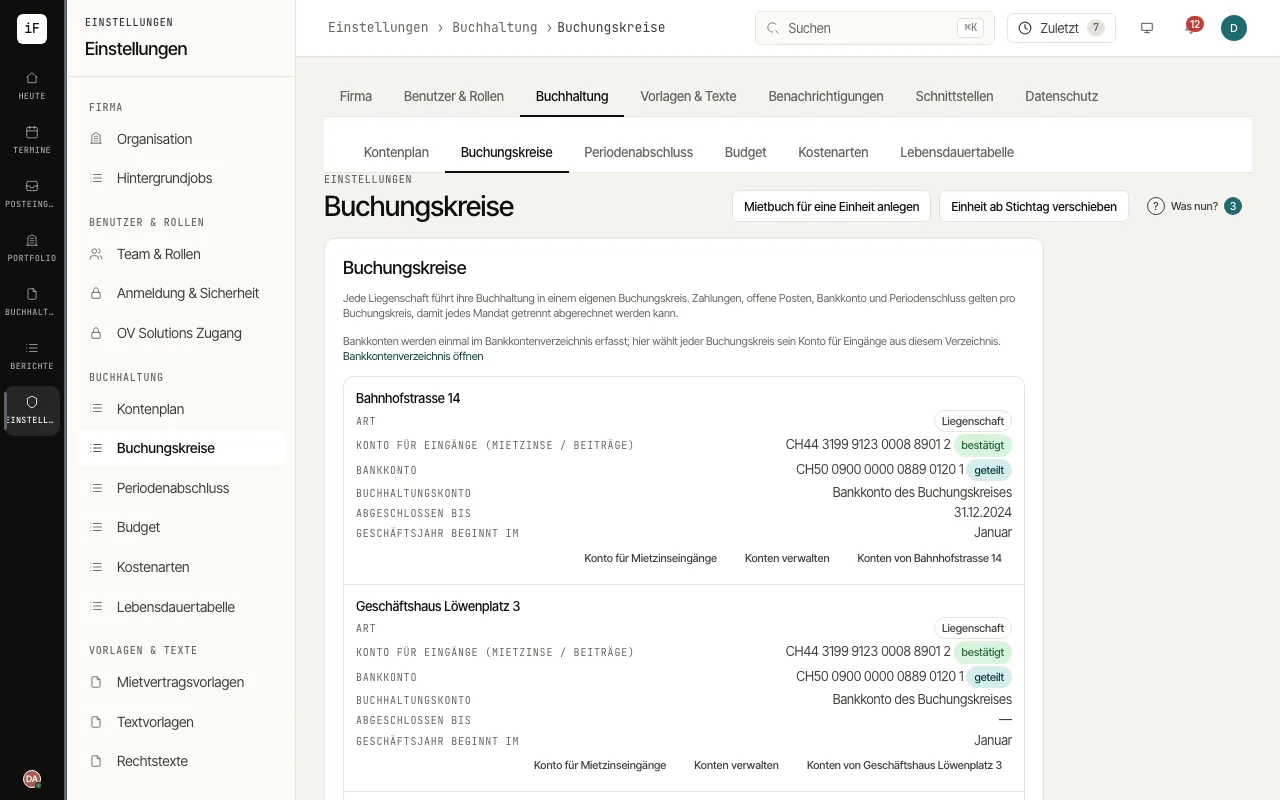
Open Settings › Accounting › Accounting books. The "Rent collection account" column shows "confirmed", "Needs confirmation", "Account missing" or "Clarify role" for each accounting book.
Click "Confirm account" or "Rent collection account", choose "Use an existing account" or "Enter a new account", tick "I have checked the account holder and payment details." and finish with "Select and confirm".
Under "Manage accounts" you record the accounts the accounting book uses for payment orders and bank statements. A bank statement is assigned through the account IBAN.