Report damage to the building insurer
A ticket with water, glass, fire or storm damage becomes a damage case. ImmoFlow puts the damage report for the insurer together and prepares the e-mail to it.
Record the insurance once per property: in the card «Insurance and providers», use «Edit» to set the «Building insurer», the «Policy number» and, if needed, the «E-mail for damage reports».
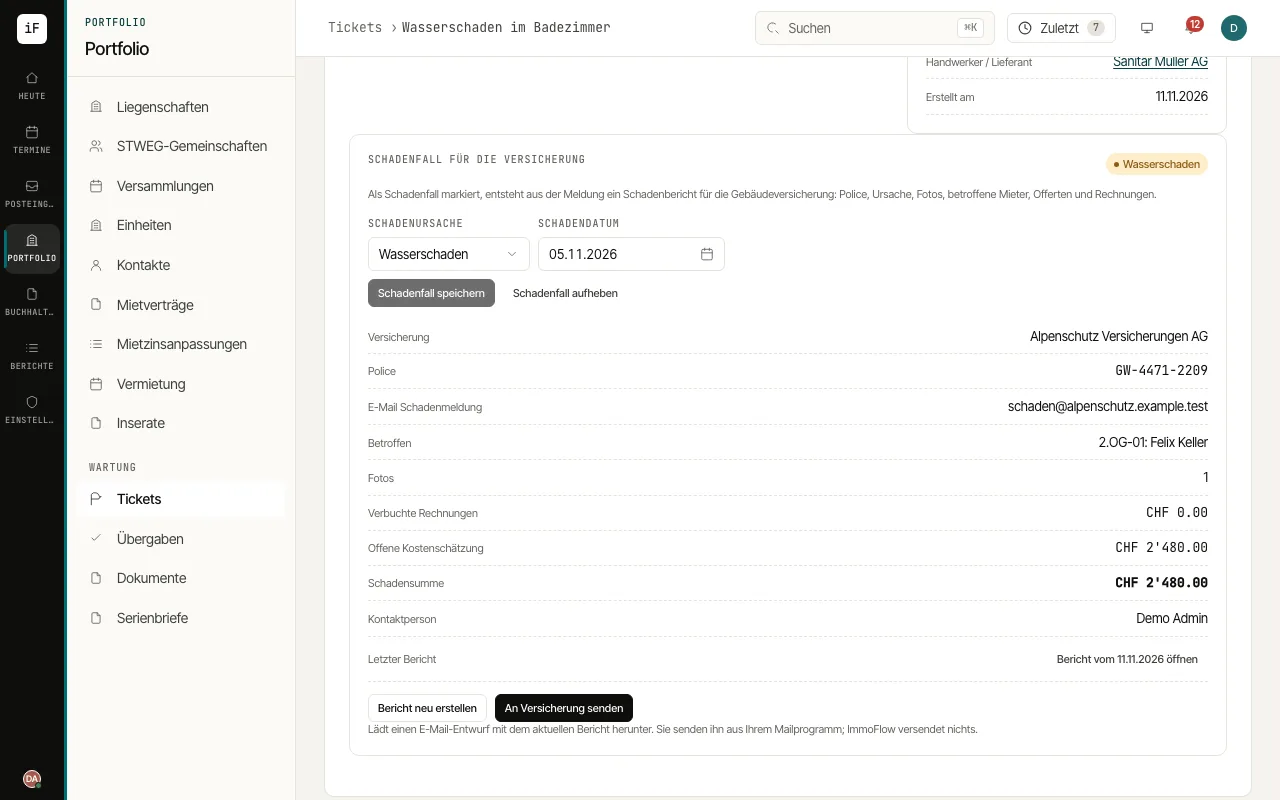
Open the ticket and choose the «Cause of damage» and the «Date of damage» in the card «Damage case for the insurer». Save.
Check what is still missing: ImmoFlow names missing photos, quotes, invoices or policy details. Upload photos under «Attachments»; record quotes and invoices on the order as usual.
Click «Create damage report». The report with property and policy, cause, description, affected tenants, photos, quotes and invoices and your contact person is then filed on the ticket and the property.
«Send to insurer» downloads an e-mail draft to the insurer with the report. Open it in your mail program, check it and send it yourself.