Uploading requested documents
If your property manager needs a document from you, such as a debt enforcement register extract or proof of your personal liability insurance, they request it in the portal. You upload the document right at the request instead of sending it by email.
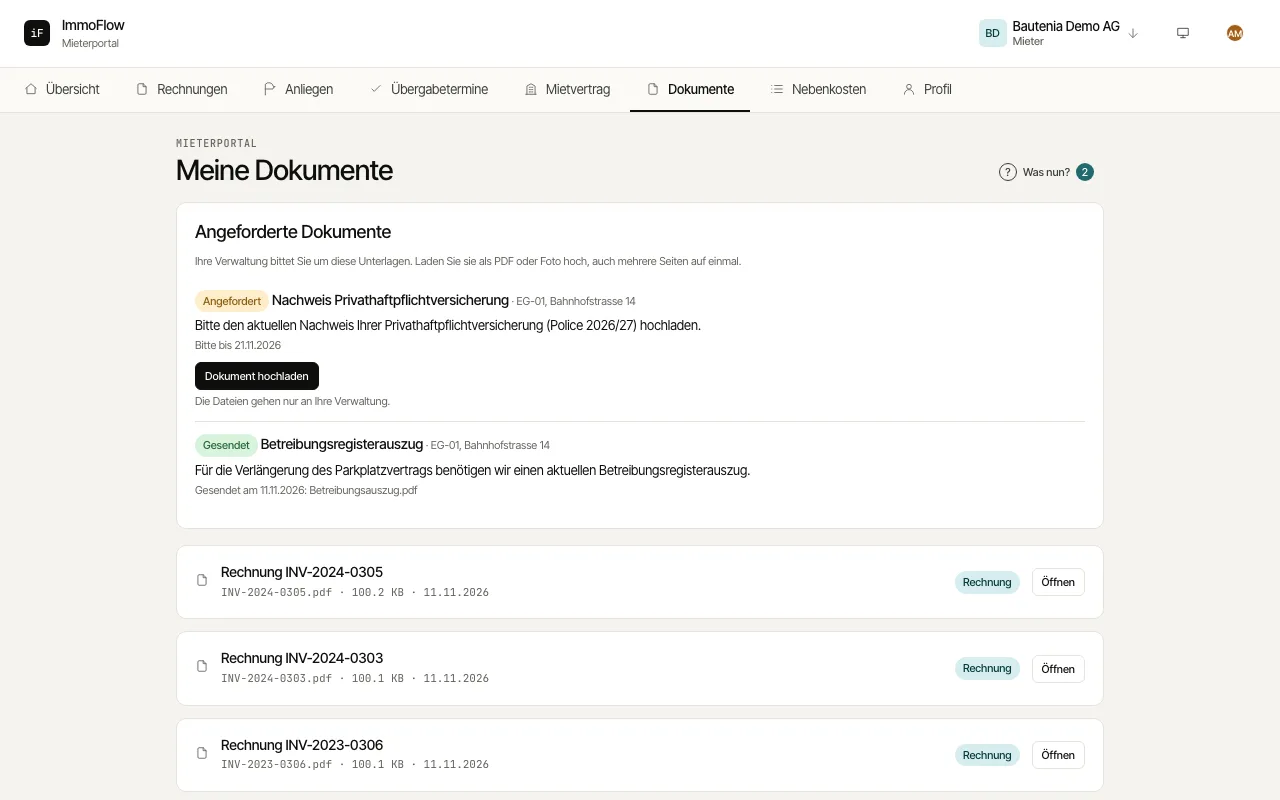
A notice on the overview shows how many documents your property manager is waiting for. Click "Upload document" there or open "Documents".
Under "Requested documents" read the type of document, the property manager's note and the date by which it is needed. A missed date is marked "Overdue".
Click "Upload document" and choose a PDF or photos. You can select several pages in one step.
After the upload the request shows "Sent" with the date and the file names. You open your other documents in the list below with "Open".