3.5
Taking a supplier invoice further
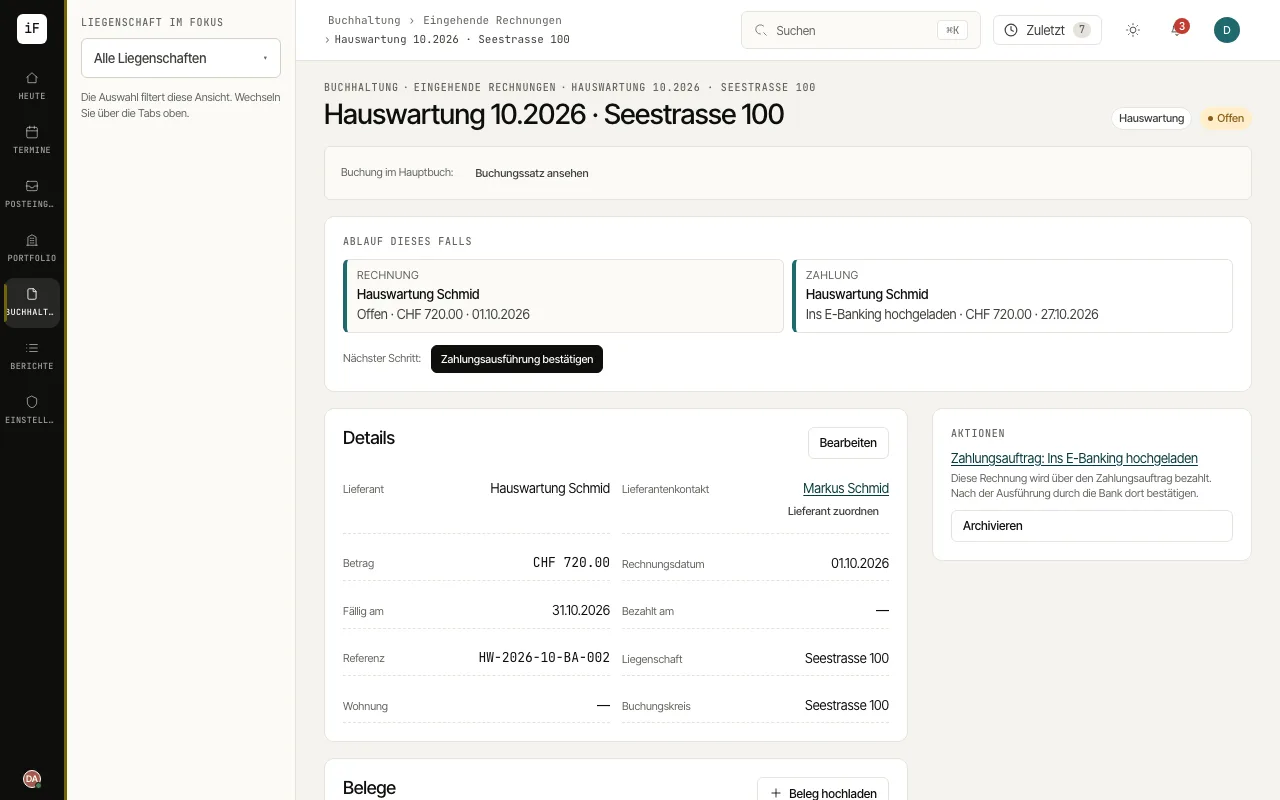
The invoice keeps supplier, amount, assignment and payment status together. The "Progress of this case" card shows existing follow-up items and the next step.
How to proceed
Check supplier, invoice date, due date, reference and property. If the invoice belongs to a ticket, open it from the "Ticket" field.
Open the existing vouchers or the posting entry to check the basis.
Create a draft with "Create payment order" or, for an order already prepared, follow the link to the payment run. If the supplier's IBAN is not yet verified, the order waits for release.
Confirm execution there only on the basis of the bank records. If the invoice has already been paid outside ImmoFlow, record this with "Paid".