Settling service charges transparently
A service charge period collects costs and allocates them to the tenancies concerned. In the preview you see cost shares, advance payments made and the resulting balance; after closing, the basis stays frozen and is corrected only with an audit trail.
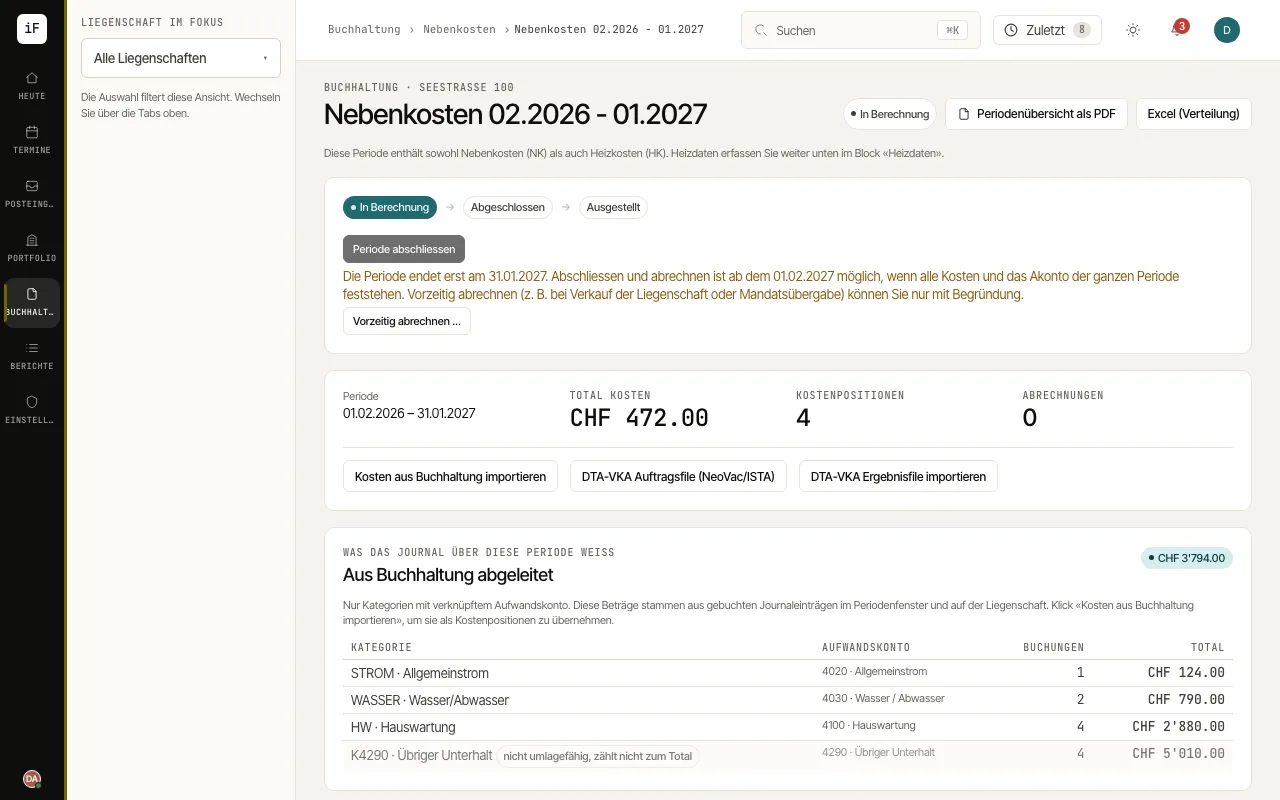
Open the period and take over posted costs with "Import costs from accounting". The preview shows what is imported and what is excluded, with a link to the voucher. Under "Costs already entered by hand" ImmoFlow replaces certain duplicates; you replace possible duplicates yourself.
Check "Bill completeness". "in the inbox" means a matching voucher is still waiting to be processed; "missing" calls for clarification. Hide a period that does not matter with "Not relevant" and a reason.
If a meter has only a partial reading, record the method and reason under "Partial readings" with "Record an estimate".
Check the preview for each tenancy and close the period only once the basis is right. Then issue the statements individually or all together. Download the allocation with "Excel (distribution)".
After closing, later postings relevant to service charges appear under "Late postings" and reach the tenants through "Start correction". If one does not belong to the period, exclude it with "Exclude", a reason and evidence.
If the frozen "Allocation basis" was wrong, for example an area, a lease period or a consumption, use "Correct basis". If the calculation of a statement itself is disputed, open it for review with "Reopen".
You maintain cost categories under Settings › Accounting › Cost categories. «Add cost type» creates a new one, even if you look after only some properties; a name exists only once in the firm, ignoring upper and lower case and spaces. Because a cost category applies to every property of the firm, only administrators and people with firm-wide access change its name and «Default key» and use «Archive» and «Reactivate». They choose the «Account for service charges» when adding the cost category; for an existing category it can no longer be changed.