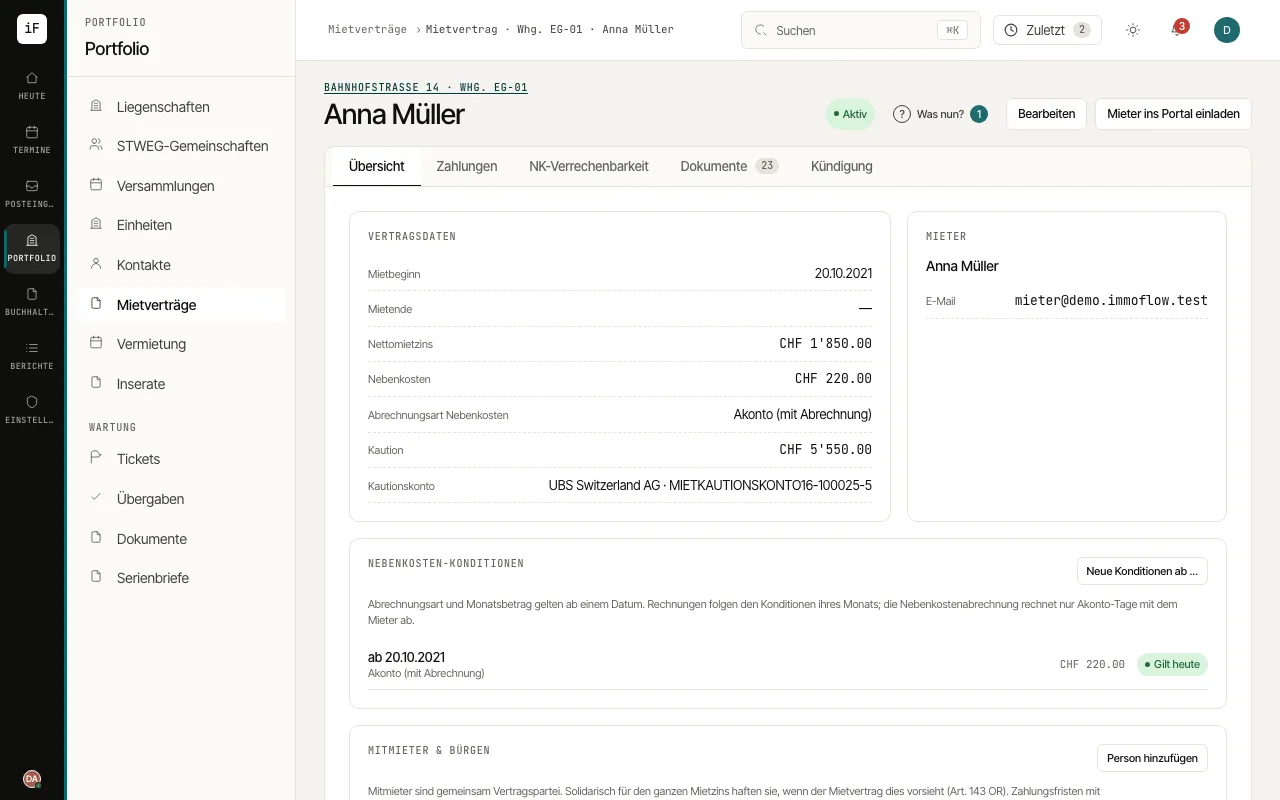
The lease links the unit, tenant, period and agreed amounts. It is the starting point for payments, service charge statements, contract documents and handling a termination.
ForProperty management
WherePortfolio›Leases›Overview
Fig. 1.5Lease with agreed amounts and tabs for further processing.
How to proceed
1
Open the lease from the unit or from the "Leases" list.
2
Check the start date, status, rent and service charges as well as the people involved.
3
Use "Payments" for invoices, rent history and the tenant account; "Chargeable service charges" shows which service charge categories can be charged under this lease.
4
Under "Documents", "Generate lease contract" produces the contract as a PDF from the active, reviewed template in the tenant's language, and "Record as signed" records the signed contract. There you also request missing paperwork with "Request a document".
5
Open "Termination" for renewal, termination and the rent deposit. Record a termination by the tenant only once the signed letter is at hand.