Preparing and concluding a meeting
The meeting leads from agenda items and documents through attendance and votes to the minutes. Preparation notes show missing documents and open checks; the draft minutes state what has not been recorded.
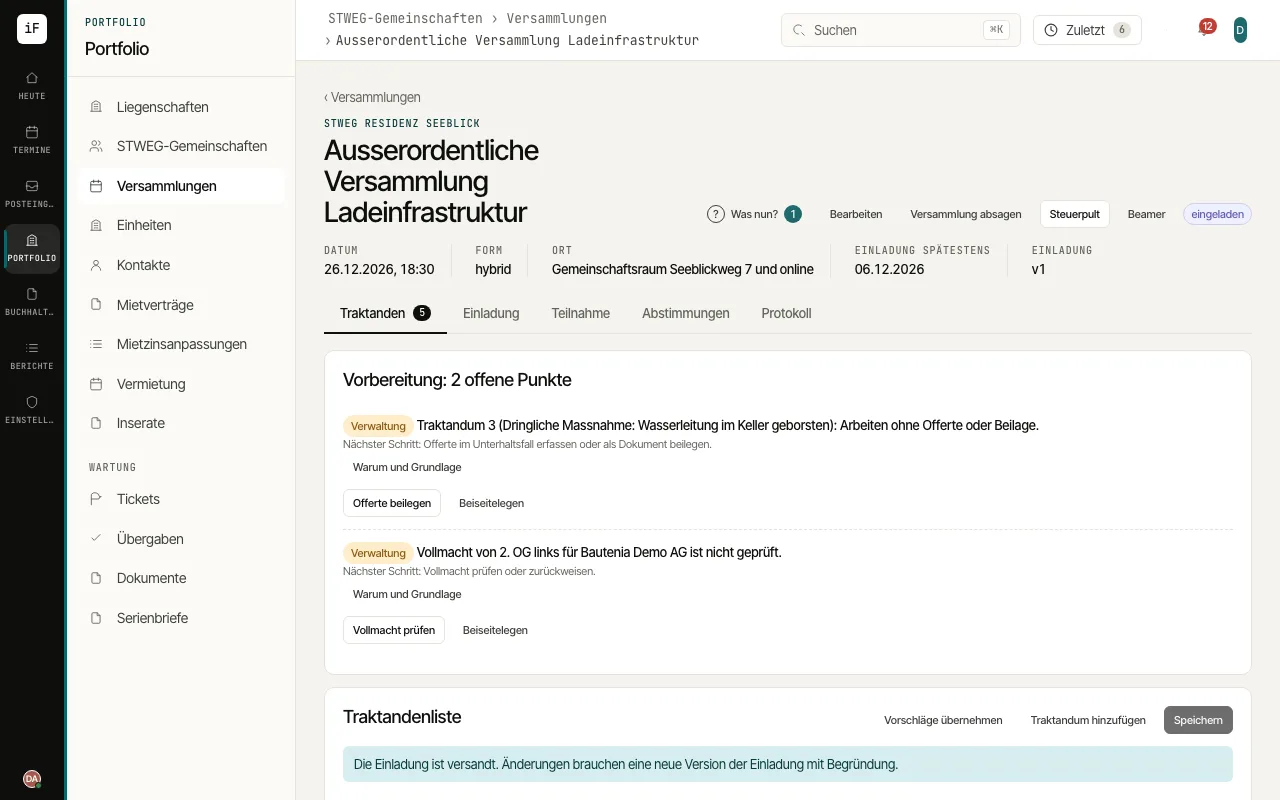
Record agenda items and motions. Under "Preparation", work through open points, such as a quote or a budget not enclosed with the invitation.
Issue the invitation with its package using "Issue invitation" and record the dispatch. ImmoFlow shows by when it must be sent according to the notice period of the rules profile; an agenda item that can no longer be announced in time is removed or held without a vote. After changing the agenda, issue it again with "Issue new version".
Record and check attendance and proxies. Check the quorum shown according to the stored rules profile.
Hold the votes and check the results. If a motion differs from the version in the invitation, the vote is on the invited version; you record an amendment under "Amendment (reason and proposer)". It needs the chair's recorded decision that it stays within the announced subject; for that, the chair of the meeting must be recorded.
Create the minutes. "Create draft" writes each agenda item from your notes and the recorded facts; a resolution that has not been recorded appears under "Not recorded". Adopt the reviewed text and issue the minutes.
For a proxy to the management, you do not pick a contact: the management holds it as a firm. If a proxy does not cover an item, the ballot shows the unit there as «not represented» with the reason; «Remaining: Yes» records only the other votes. Under a head vote, an owner votes alike for all their units; under a vote per unit or by quota, each unit counts on its own.
During the meeting you work in the control panel: attendance and proxies, who has already voted (only whether; the named votes are on the «Votes» tab, the vote is open as with a show of hands), the owners' requests to speak in the order raised («Give the floor», «Done»), opening and closing the vote, the next agenda item. After the meeting is closed the control panel shows its course for reading only. An arrival or departure during an item counts from the next item; the minutes note «from item n».
«Open projector window» shows the presentation screen in a window of its own: the overview with the agenda and the quorum by heads and value quotas, the running vote or the result (available once the vote is closed; requests to speak appear as a number only). You can switch the interim count on the projector off; for the owners it is off by default and they only see «x of y have voted».
Whoever uses no device votes by show of hands or verbally: record the votes one by one or as a counter-check (no and abstentions, the rest yes). In an election each voting right names up to as many candidates as there are seats; with no more candidates than seats you confirm the election with «Confirm by acclamation».
You note keywords per item and follow-ups already in the control panel. In the minutes «Draft all sections» writes the text from them; sections written by the AI are marked in violet until you mark them as checked, and the vote results come unchanged from the votes. Whether the minutes name the owners voting no or abstaining is set in the community's rule profile. Every statement of the draft is backed by recorded data (attendance, quorum, votes, decisions, elections, follow-ups) or by your keywords; whatever has neither carries the marker "[to check]" and waits for your check. An item without keywords and without a recorded decision states only the facts, and so does the opening: whether objections were raised to the notice is in the minutes only once your keywords on the opening item say so.