Using the tenant portal
In the tenant portal you find invoices, your lease, documents and your requests in one place. For a question or a damage report, you do not need to gather the information from several channels.
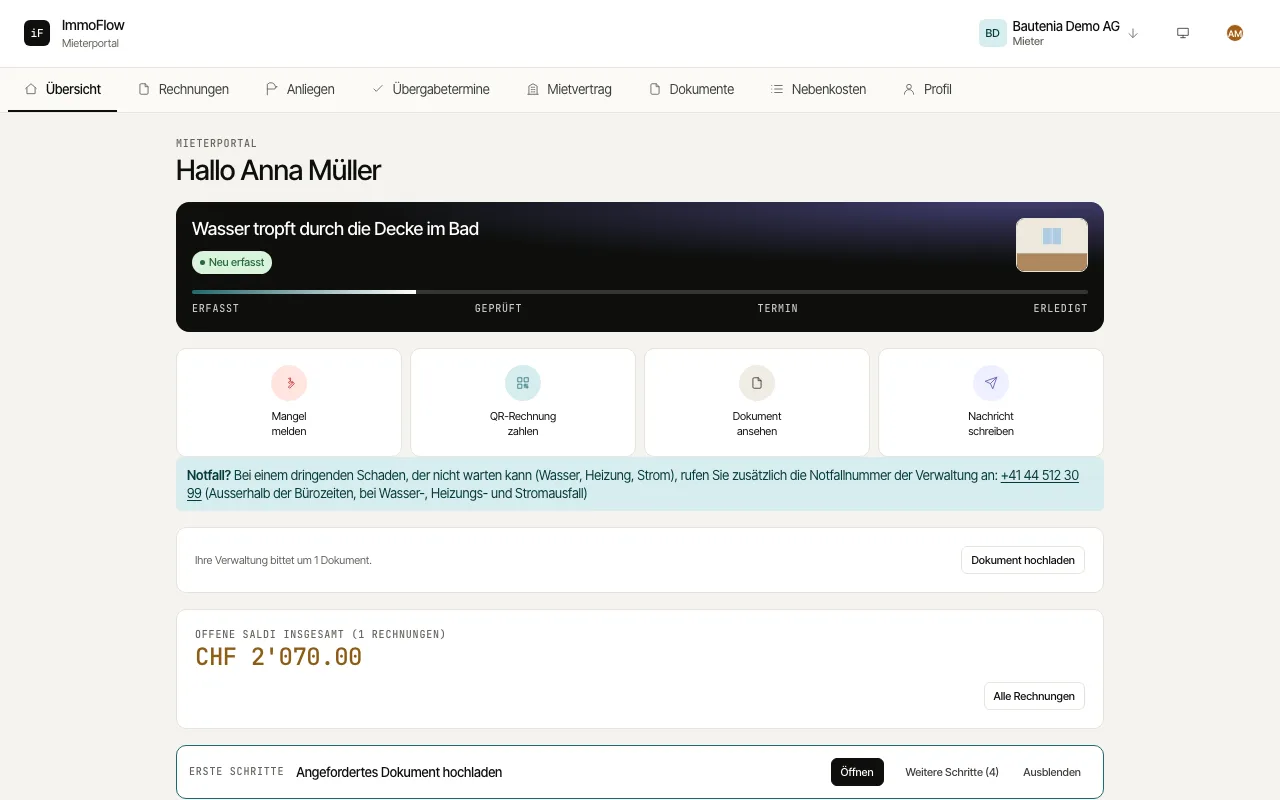
Open an open invoice under "Invoices" and pay it with the QR-bill through your bank. "Show payments" shows what has already been received.
Report a defect with "Report a new request": choose the category under "What is it about?", describe the request, add up to 5 photos and say when you can be reached. Reply to questions within the existing request.
Under "Lease" you see the rent, service charges, term and lease documents. There you announce a move-out with "Report intention" or contact the management under "Challenge rent (Art. 270 / 270b CO)".
If your property manager asks you for a document, the overview shows a notice with "Upload document". Service charge statements, handover appointments and your profile are in the navigation.