5.12
Managing connections, invitations and the start view
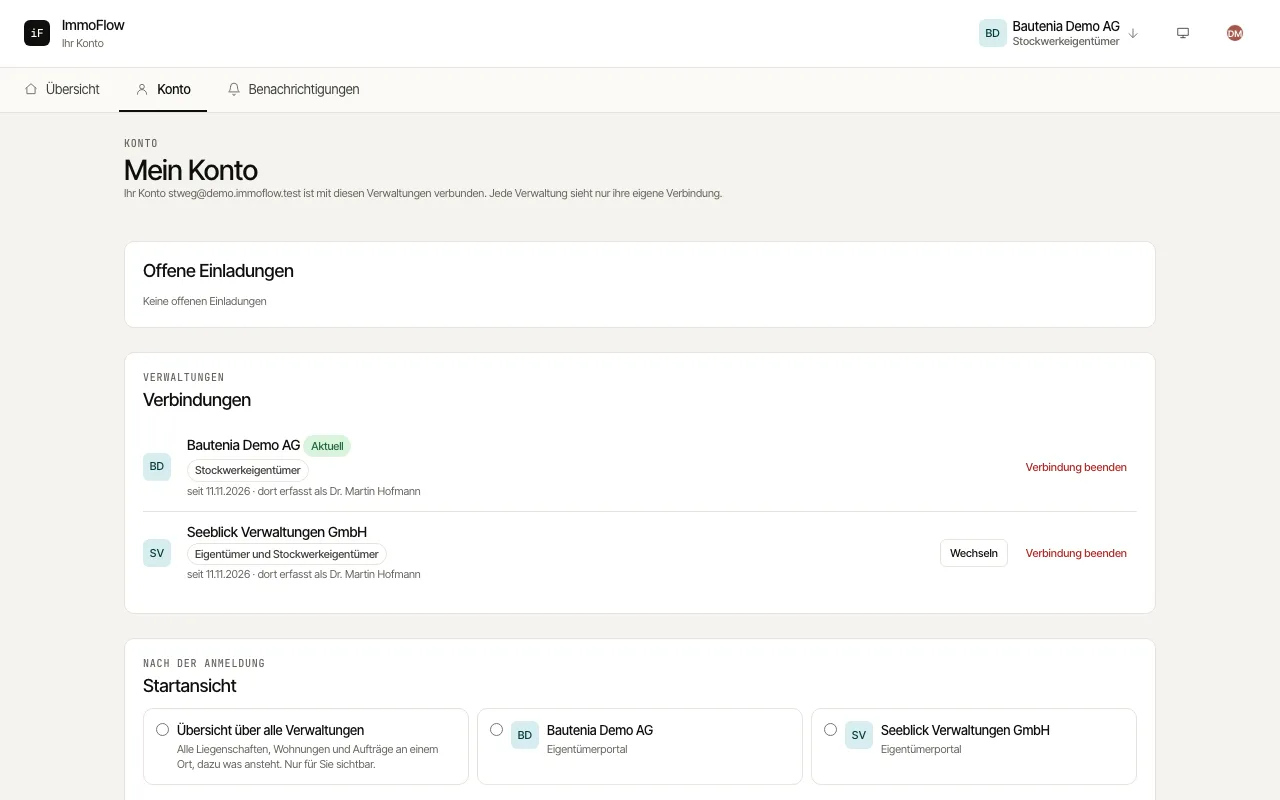
Under "My account" you see which management companies your account is connected with, accept or decline open invitations, end a connection and choose where you start after signing in.
How to proceed
An open invitation appears at the top. Choose "Accept invitation" to add the management company, or "Decline".
"Connections" lists every management company, your roles there and since when the connection exists. "End connection" removes the access after a confirmation.
Under "Start view" choose the combined overview or one management company, and under "Roles" whether you see all roles or one.