Review lease contract templates and generate contracts
Lease contracts are generated from versioned templates for flats, commercial premises and parking spaces. Every clause carries its review status; a generated contract names the version it comes from.
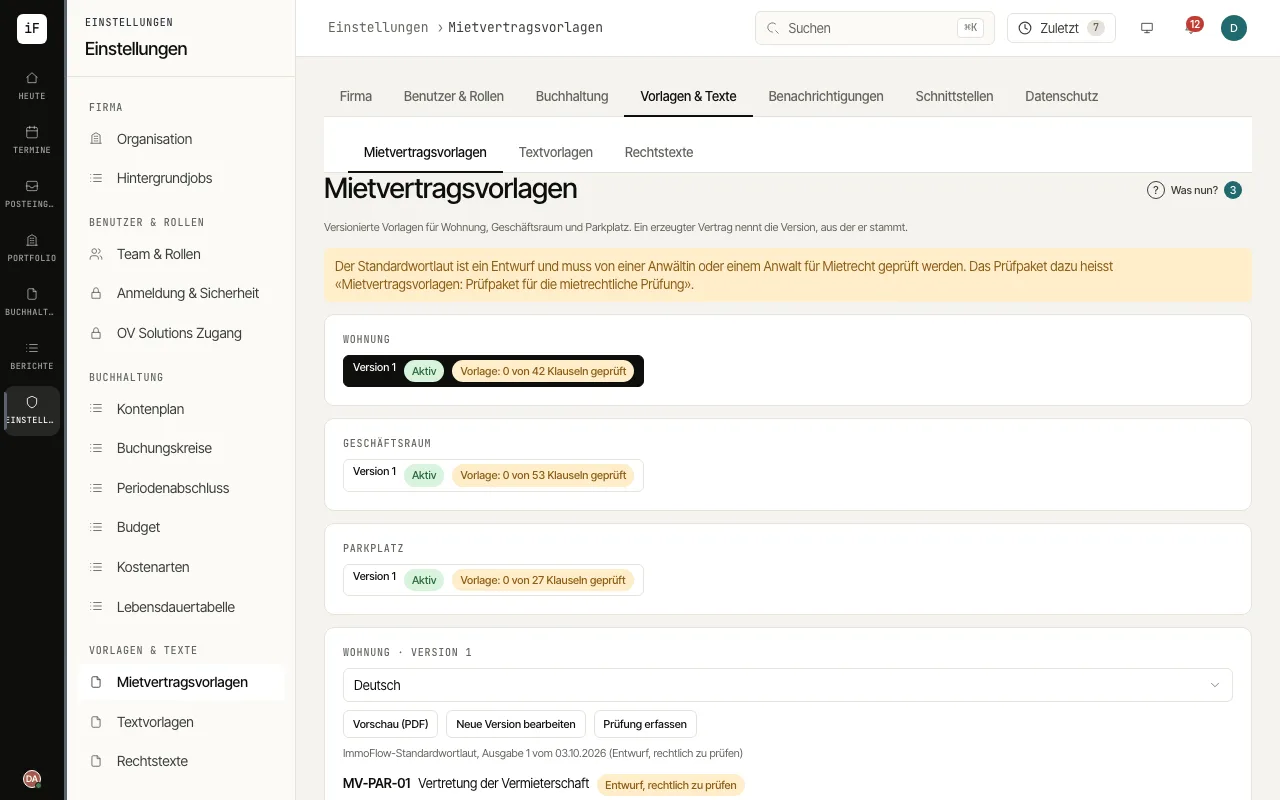
Open «Lease contract templates», choose the template and check the wording with «Preview (PDF)». Unreviewed clauses carry the note «Draft, to be legally reviewed».
For changes, click «Edit into a new version», describe the change under «What changes?» and save with «Save new version». The new version is a draft; changed clauses count as unreviewed again.
After the review by a tenancy lawyer, click «Record review», select the clauses (for example with «Select all unreviewed»), enter the person and date and click «Save review». Then activate the version with «Activate».
In the lease, under «Documents», generate the PDF in the tenant's language on the «Lease contract» card with «Generate lease contract». Where the canton, district or municipality requires the initial-rent form, ImmoFlow creates it with a cover letter together with the contract («Initial-rent form»). The reference interest rate and the consumer price index behind the previous rent are prefilled from the previous lease or must be entered before issuing; «Handover of the form» says by when the tenant must have it at the latest.
Upload the signed contract under «Documents» and record it with «Record as signed», with the date and the «Signed copy».