2.11
Asking the help a question
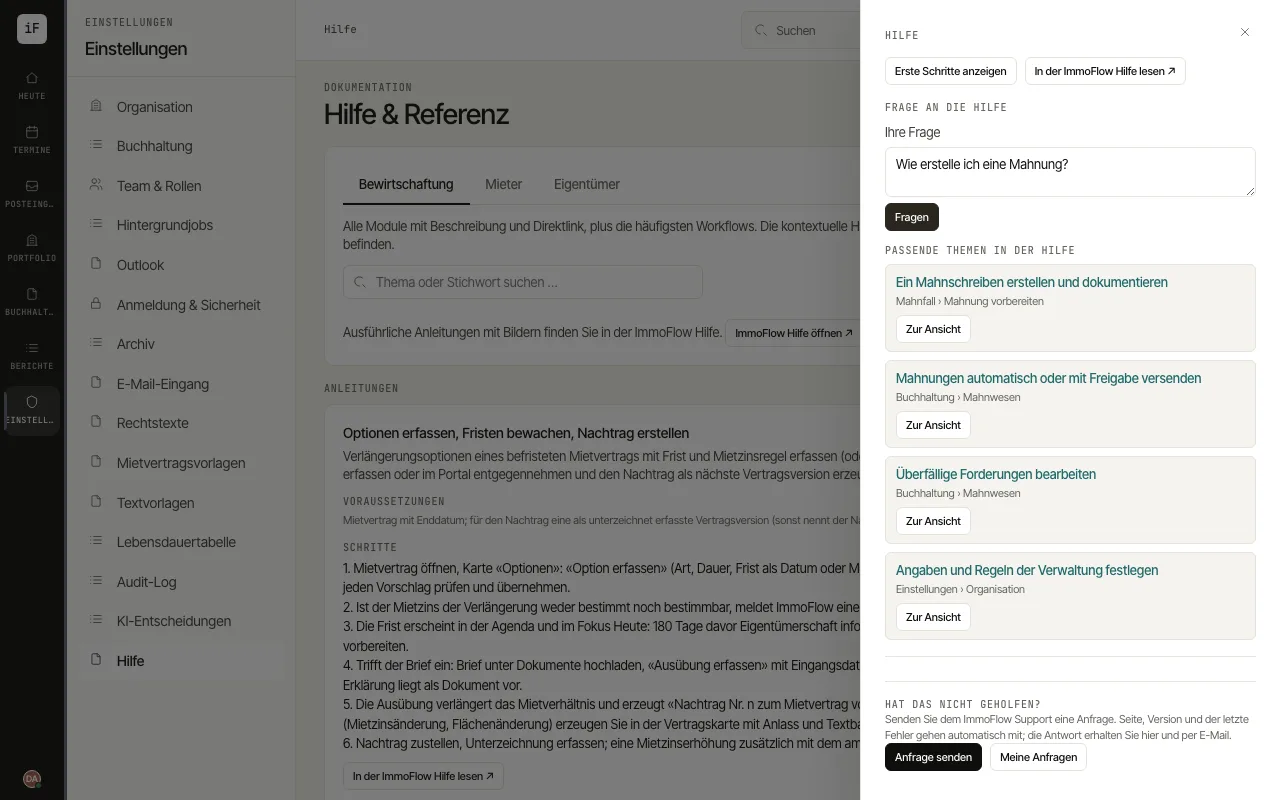
With "Ask the help" you ask a question in your own words. The answer comes only from the topics of this help and links them, so that you can read the steps and go straight to the matching screen.
How to proceed
On any page, choose "Open help", the question mark at the bottom right. The window first shows the explanation of the current page.
Under "Ask the help", type your question into the field "Your question" and choose "Ask".
Read the answer. An "Answer from the ImmoFlow help, summarised with AI" lists its "Sources in the help" below; without the AI, the search hits appear under "Matching help topics".
Open a topic by its title to read the steps, or use "Go to the screen" to switch straight to the page the topic explains.