Documenting a handover
The handover report guides you through rooms and checkpoints. This lets you record condition and defects in the right place and follow them up where needed.
Open the relevant handover and check the unit, date and parties involved.
Record the condition for each room and checkpoint. Use "N/A" only when a point does not apply. For a defect, record under "Remedied by" who remedies it.
For a move-in, the new protocol takes over the rooms and checkpoints of the unit's latest completed move-out protocol (without one, of the latest move-in protocol). Each defect noted there appears as pre-existing, with the date of the earlier protocol and its photos. A defect repaired in the meantime through a ticket or a booked repair invoice is listed with the repair date, not as an open defect. This also applies when days lie between move-out and move-in. Confirm or change each carried-over point on site, or take all of them over at once with "Take over all"; mark a defect without a ticket or invoice with "Repaired" and a short reason. Before completing, ImmoFlow points out unconfirmed points without blocking the completion.
If you are going into a cellar without reception, tap "Take offline" first. Rooms, checkpoints, the current state and the photo previews are loaded onto the device. Without a connection you keep recording; the bar shows how many changes are not sent yet, and as soon as there is reception again they are sent in order. For a move-out, the completed move-in protocol of the same tenancy comes along, read-only and with photo previews, so you can compare with the state at moving in without a connection.
Check open points and complete the report. Where needed, "Create tickets from defects" turns the recorded defects into tickets.
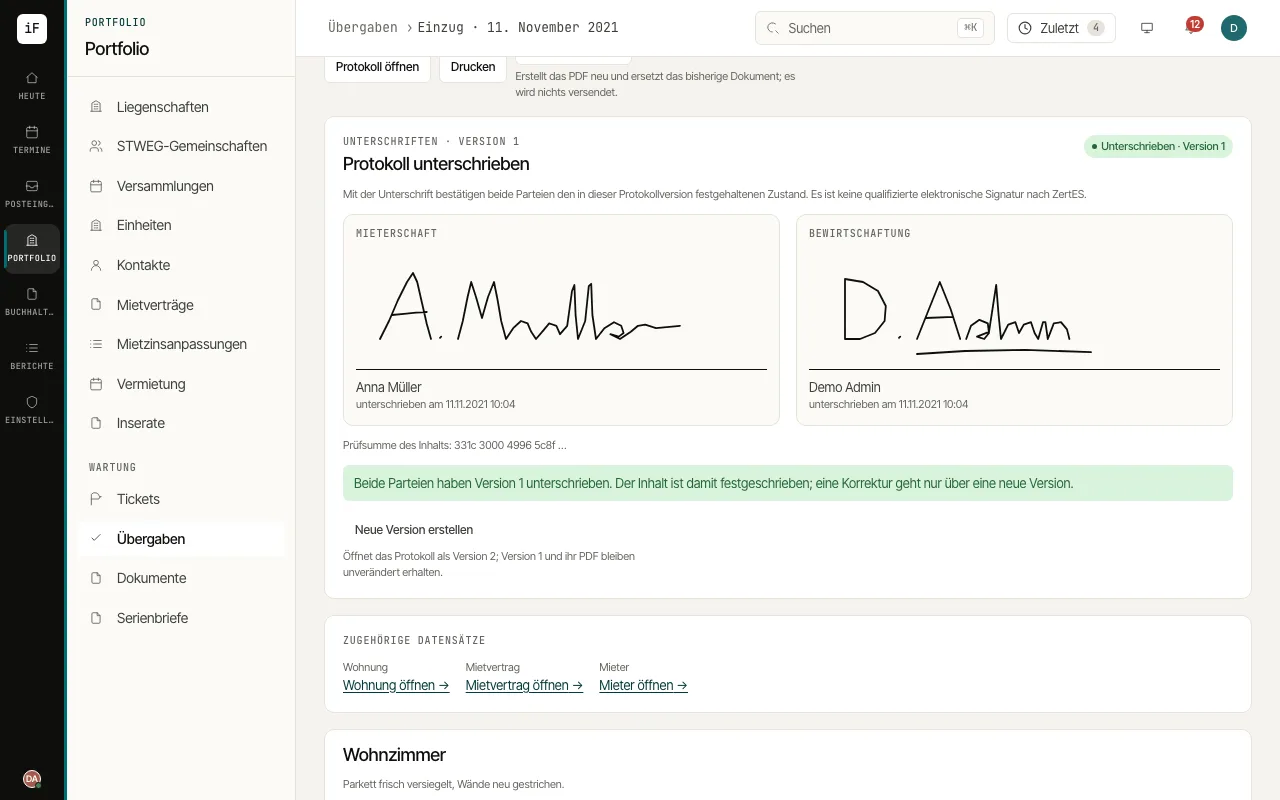
Have the tenant and the property manager sign directly on the device under "Sign the report", either drawn or with a typed name.