Preparing a rent change
A rent change gets an effective date. This lets you record the future agreement without rewriting existing invoices after the fact.
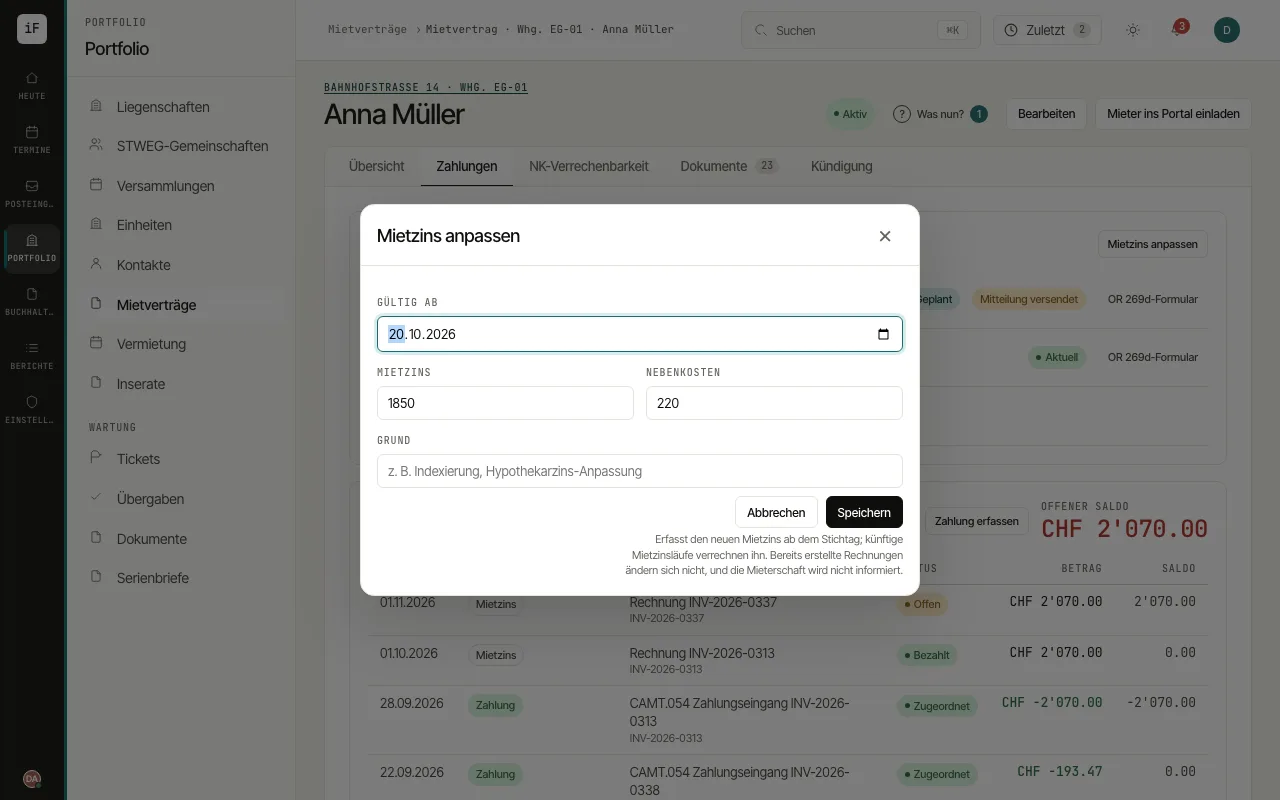
In the right lease, open the "Payments" tab and there, in the rent history, "Adjust rent".
Enter the "Effective from" date, the new rent and the service charges.
Record a clear reason and check the consequences shown.
Confirm only after your own professional review. For the notice to the tenant, open "Art. 269d CO form" in the rent history, enter "Effective from", "Delivery date" and the reason and click "Create form". The note in the dialog shows beforehand which form ImmoFlow uses: its own template approved by the canton, or the canton's official form filled in without changes. If neither is possible, ImmoFlow creates nothing and names the canton's form page.
If the reasons are longer, choose "Reasons in a cover letter (the form refers to it)" and the "Date of the cover letter"; if they do not fit the field of the canton's form, ImmoFlow moves them into a cover letter itself. Form and cover letter are issued in one PDF that you deliver together. For an increase because of additional services, also answer "Public subsidies for value-adding improvements". A rent change may carry a printed signature (facsimile).
An agreed step of a stepped rent needs no official form: under "Step notice", "Create the notice" produces the written notice as a PDF; it is filed with the lease and tracked with sending and receipt among the official notices. ImmoFlow shows the window: at the earliest four months before the step, and in time for the notice to arrive before the step.