1.3
Checking the occupancy of a property
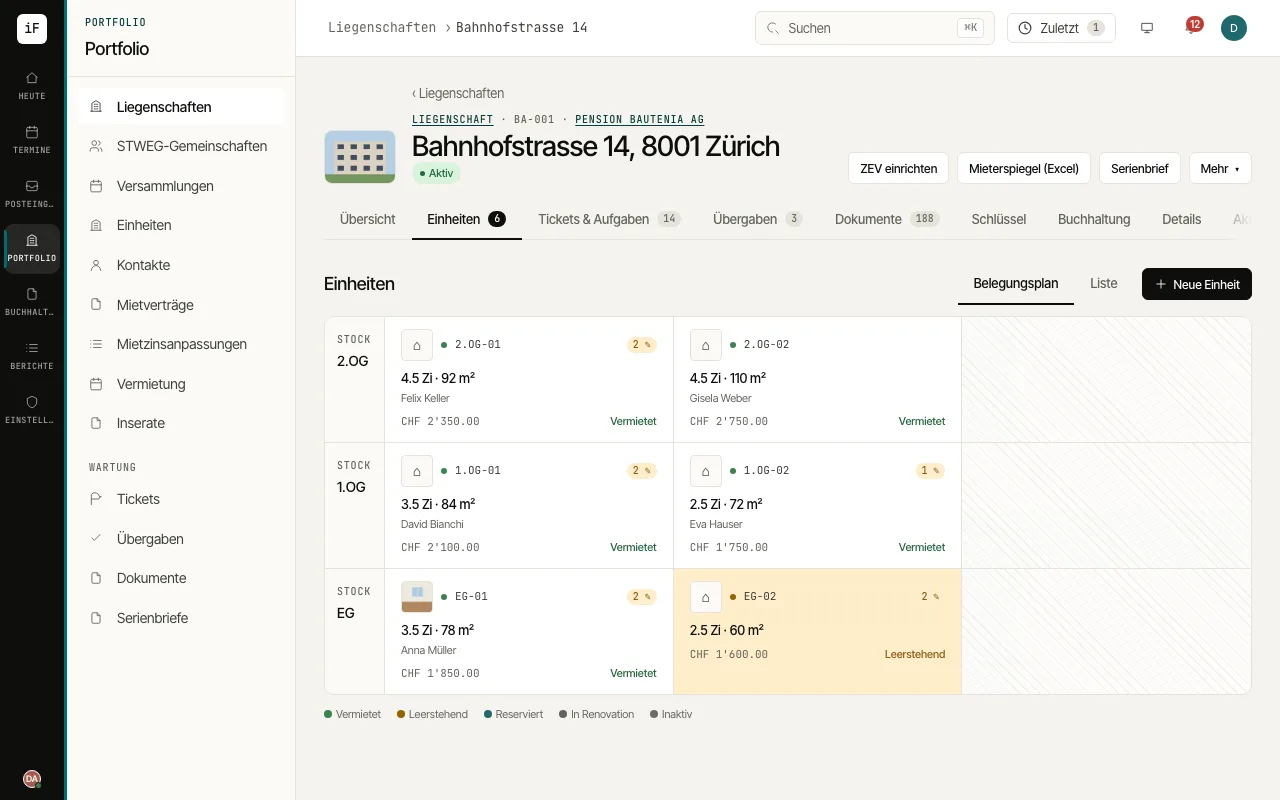
The occupancy plan shows the units of a building in context. You can see which spaces are let or vacant and go from there to the specific tenancy.
How to proceed
Open the property. First check that you are working in the right building.
Switch to "Units". Use the occupancy plan for the spatial overview or the list view for comparing.
Open the unit you are looking for. Check the current tenant and the related lease there.
For a vacant flat, switch to the viewings; for an existing tenancy, continue in the lease.