2.8
Explaining a statement clearly
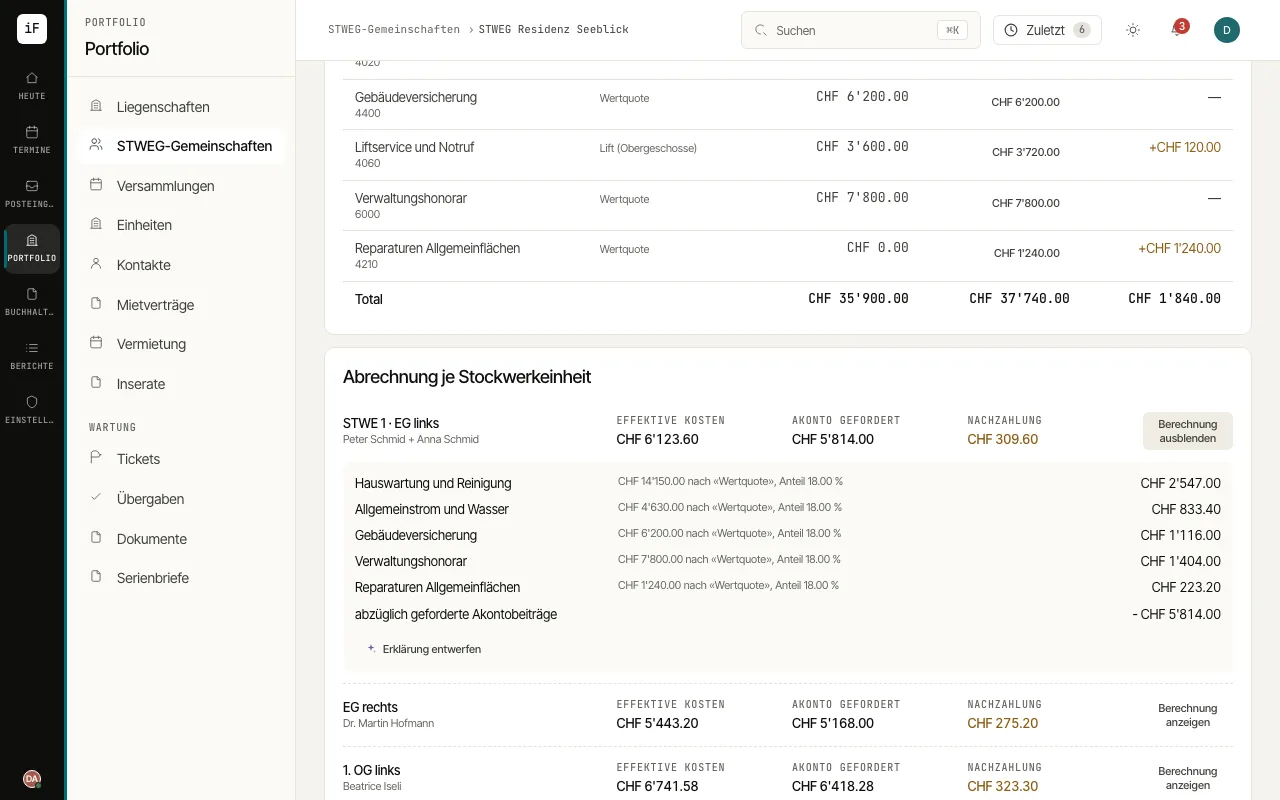
A draft explanation helps you turn the figures shown into clear sentences. The calculation stays visible separately and can be compared with the text.
How to proceed
Open the annual accounts and, under "Statement per condominium unit", open the share concerned with "Show calculation".
Choose "Draft explanation" and compare the text with the facts shown.
Check the cost basis, allocation rule, advance payment basis and balance. Distinguish explicitly between contributions requested and contributions actually paid.
Copy the draft and revise it before passing it on. For binding figures, use the statement and its proof of calculation.