Following contributions and advance invoices
The contributions overview sets requested, paid and open amounts side by side. You see which units or invoice recipients still have open claims.
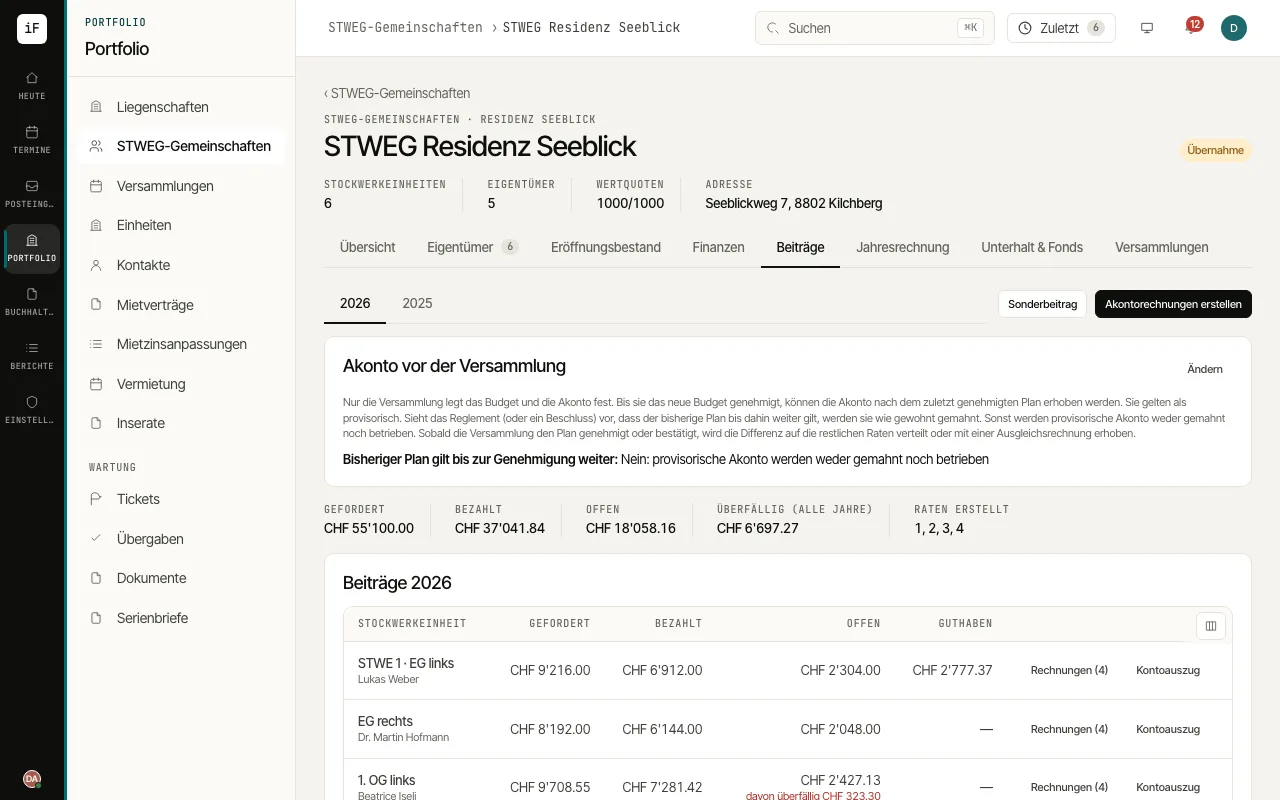
Choose the year and check the budget basis and existing instalments.
Create the contributions with "Create advance invoices" only after checking recipients and amounts.
Open individual contributions for the invoice or the account statement. Process incoming payments through payment matching.
For arrears, check the due date and the history so far before recording a payment reminder with "Remind".
A credit, for example from an overpayment or the opening position, is listed under "Owners' credits". Offset it against an open contribution or choose "Prepare refund"; the refund becomes a payment order from the community's confirmed account.