Year-end dossier and export for the fiduciary
For the year-end closing ImmoFlow puts together a year-end dossier with every analysis and receipt for each accounting book. The fiduciary also receives the journal, trial balance and open items as an Excel or CSV export.
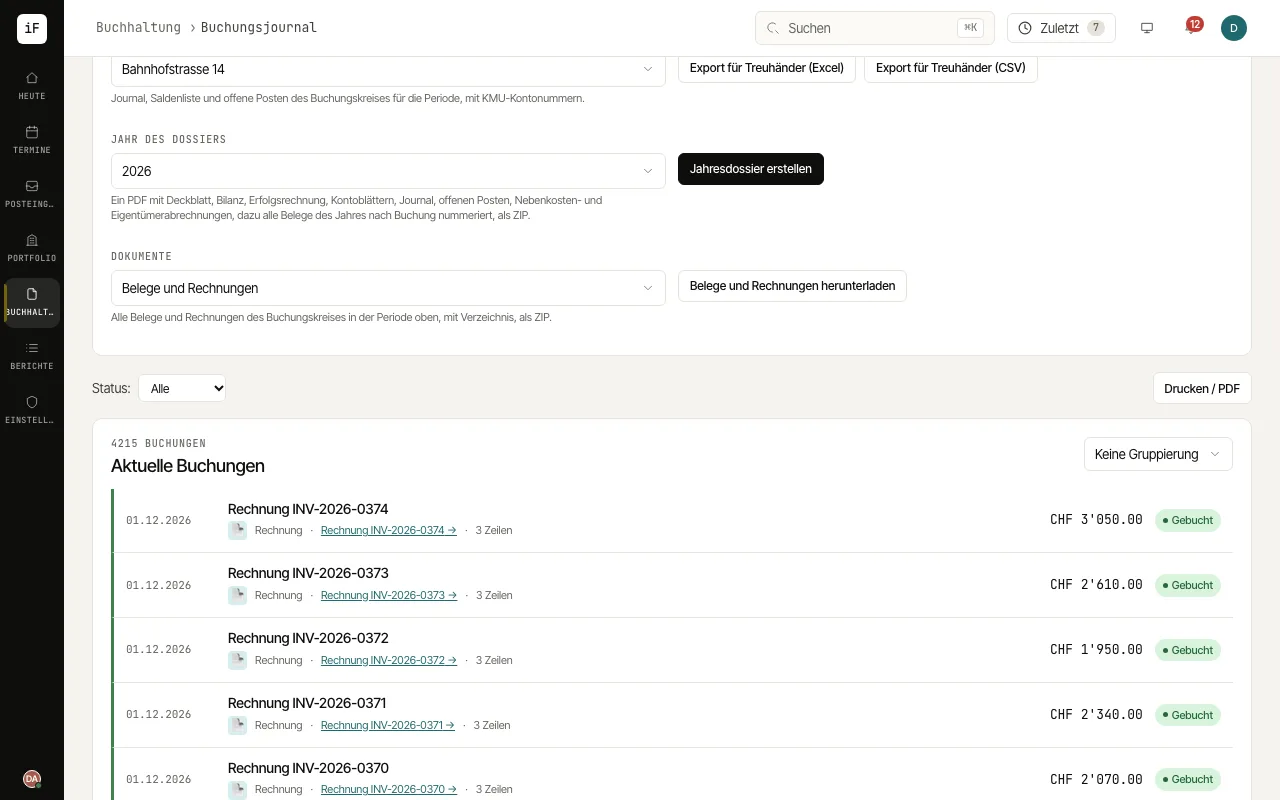
Open the "Journal" and set the period with "From" and "To". Under "Accounting book" choose the property or community.
Click "Export for the fiduciary (Excel)" or "Export for the fiduciary (CSV)". The export contains the journal, trial balance and open items of the period with Swiss SME chart account numbers.
Choose the "Dossier year" and click "Create year-end dossier". You receive, as a ZIP, one PDF with cover sheet, balance sheet, P&L, account sheets, journal, open items, service charge and owner statements, plus every receipt of the year numbered by entry.
For individual documents, choose receipts and invoices, receipts only or invoices to tenants only under "Documents" and click "Download receipts and invoices".