Creating, commenting on and scheduling owner reports
The owner quarterly report combines all properties of an owner for a quarter or a year. As a report package you publish it in the owner portal, with a summary if you wish, or have it generated and delivered automatically after the end of every period.
Choose "Owner", "Year" and, under "Period", a quarter or the "Full year". The consolidated income statement appears below.
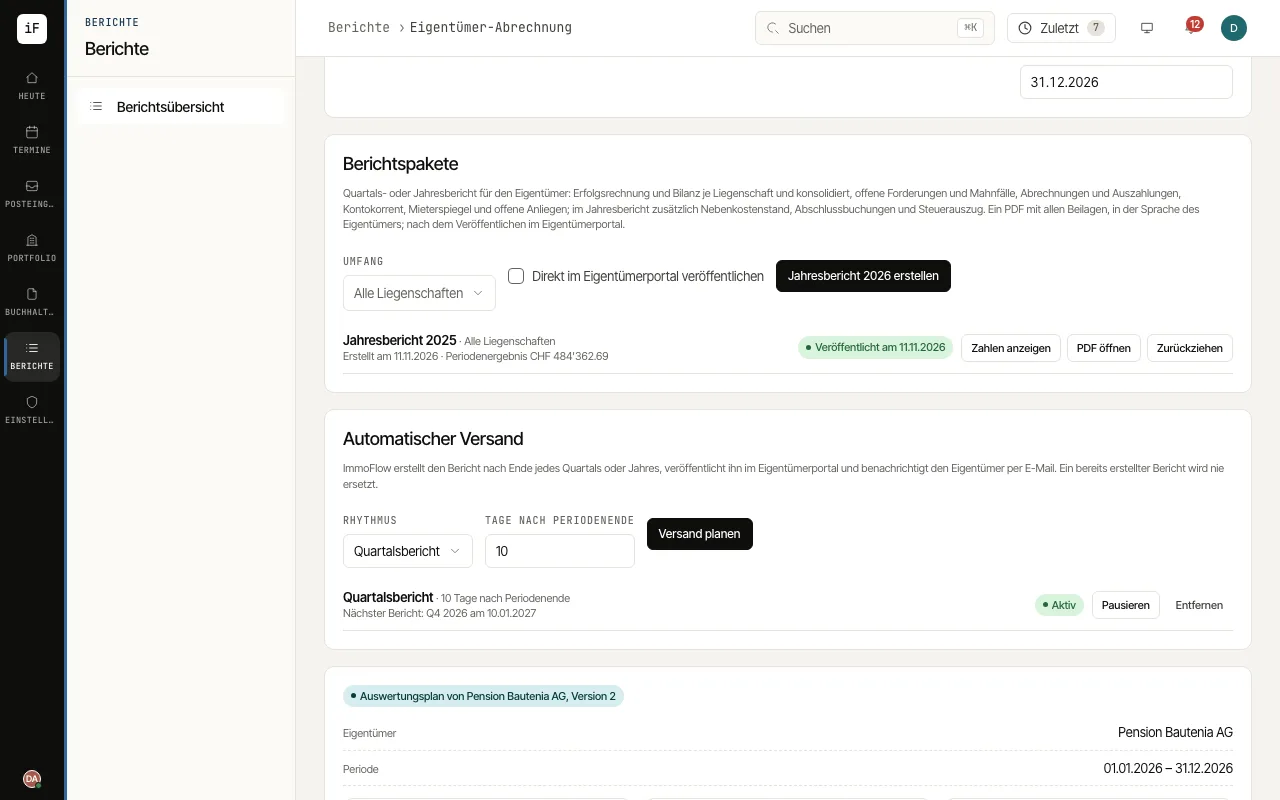
Under "Report packages" choose the "Scope", all properties or one, and create the package with the "Create …" button for the chosen period. With "Publish to the owner portal right away" it goes straight to the portal, otherwise later with "Publish".
Open a package with "Show figures". Under "Summary for the owner" write a text or let "Create AI draft" propose one from the package's figures; check and edit it and click "Publish".
Under "Automatic delivery" choose the "Frequency" and the "Days after the period end" and click "Schedule delivery". "Pause", "Resume" and "Remove" control the schedule.