Filing, sharing and requesting documents from tenants
Under "Documents" you find all of the office's paperwork, linked to a property, unit, lease, contact, ticket or task. If a tenant's document is missing, request it directly; the tenant uploads it in the portal.
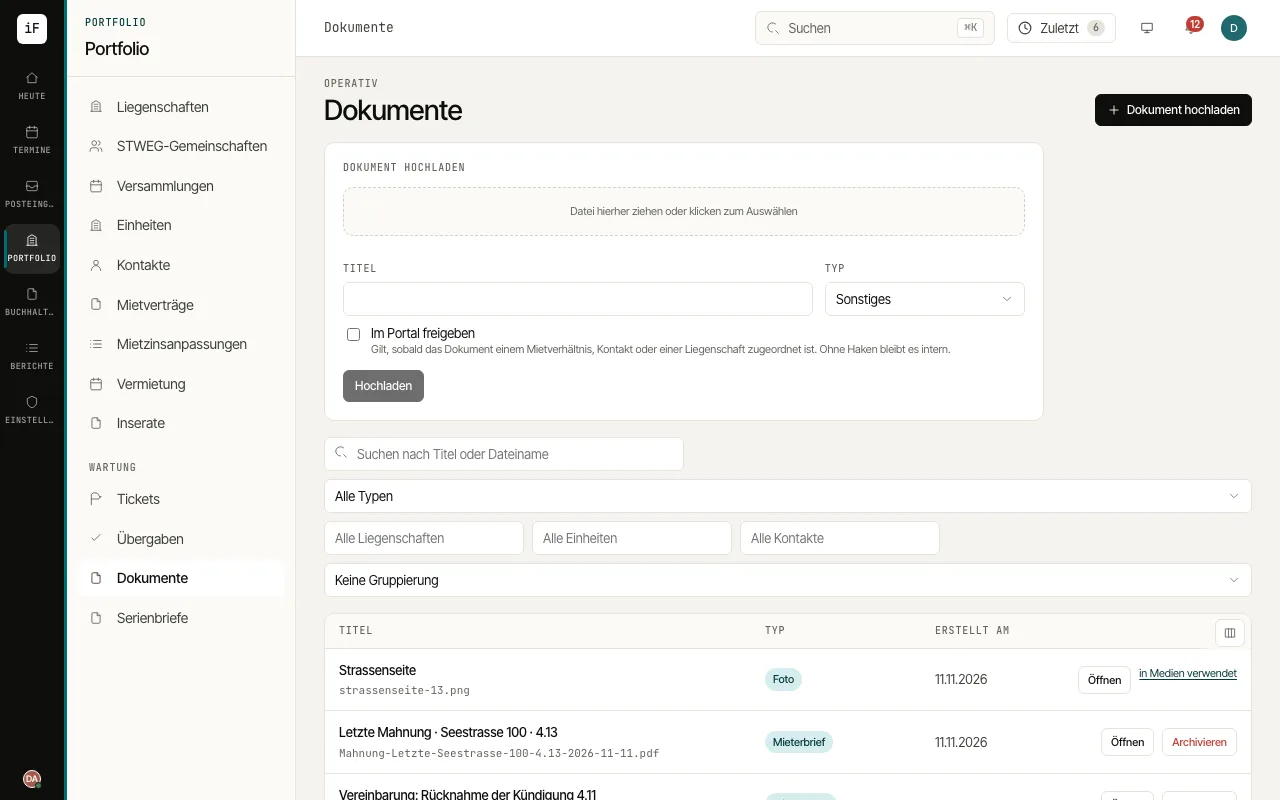
Search by title or file name and narrow down by property, unit, contact or type. "By type" groups the list.
Upload a file with "Upload document". Decide deliberately whether to "Share in the portal" or "Share in the owner portal"; without a tick the document stays internal.
To request a document, open the "Documents" tab on the lease or the contact and click "Request a document". Choose the "Document", for example "Debt enforcement register extract", the "Due by" date and, if needed, a "Note to the tenant". "Send request" sends it.
Follow the status "Open", "Received" or "Withdrawn" under "Requested documents". On an open request you can "Remind" or "Withdraw"; an overdue one is flagged and also shows on the dashboard.