Bring e-mails into the inbox
E-mail intake brings invoices and letters sent by e-mail into the inbox. Every attachment becomes its own entry for the same e-mail, and the sender is suggested as a contact.
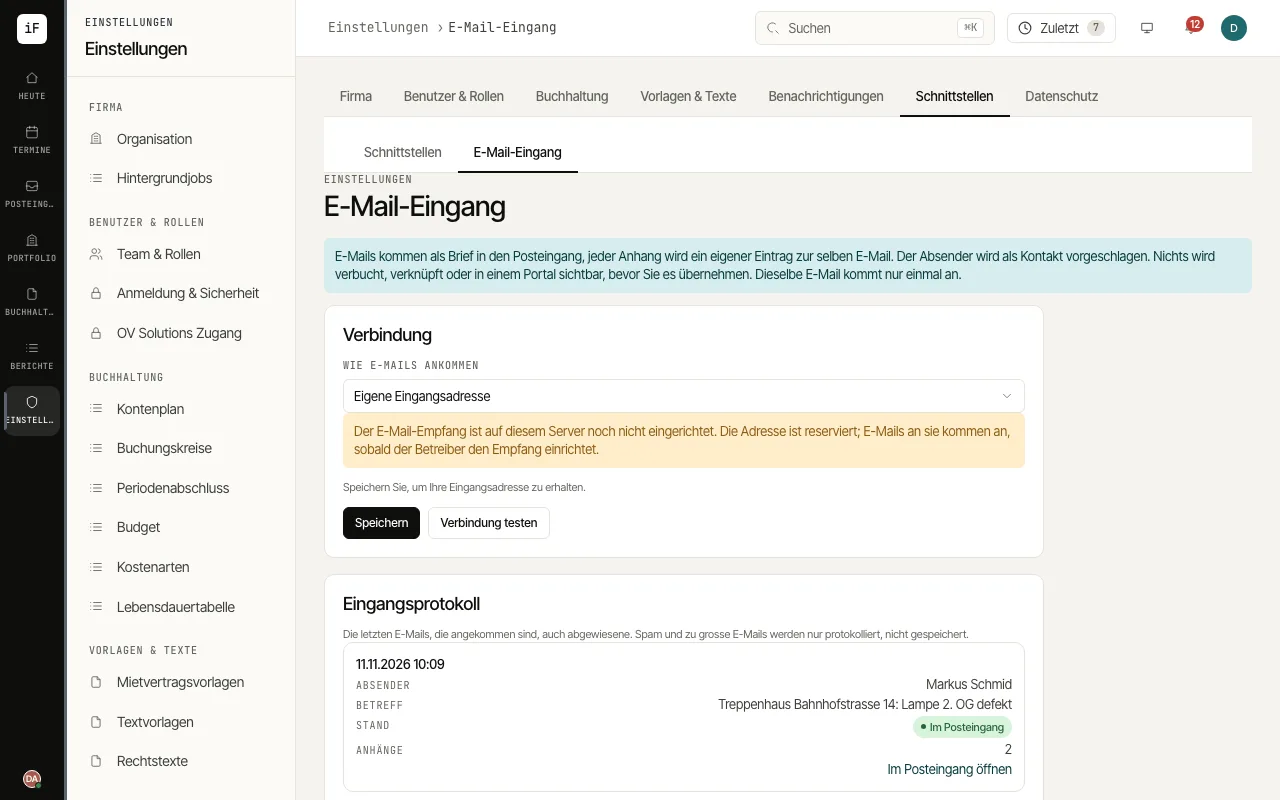
Under «How e-mails arrive», choose the way: «Upload only (.eml, .msg)», «Own inbound address» or «Own mailbox (IMAP)».
With your own inbound address, save, copy the address with «Copy address» and forward your invoice address to it or give it to suppliers directly.
With your own mailbox, enter the «IMAP server», encryption, port, folder, user name and password and check with «Test connection». ImmoFlow reads the mailbox every five minutes and changes nothing in it.
Without a connection, drag saved e-mails (.eml or Outlook .msg) straight into the inbox.
The «Intake log» shows the latest e-mails received with sender, subject and status; «Open in the inbox» leads to the entry.