Following the annual accounts
The annual accounts link actual costs, the budget comparison and the allocation to the shares. They also keep the audit, approval and version of the statement visible.
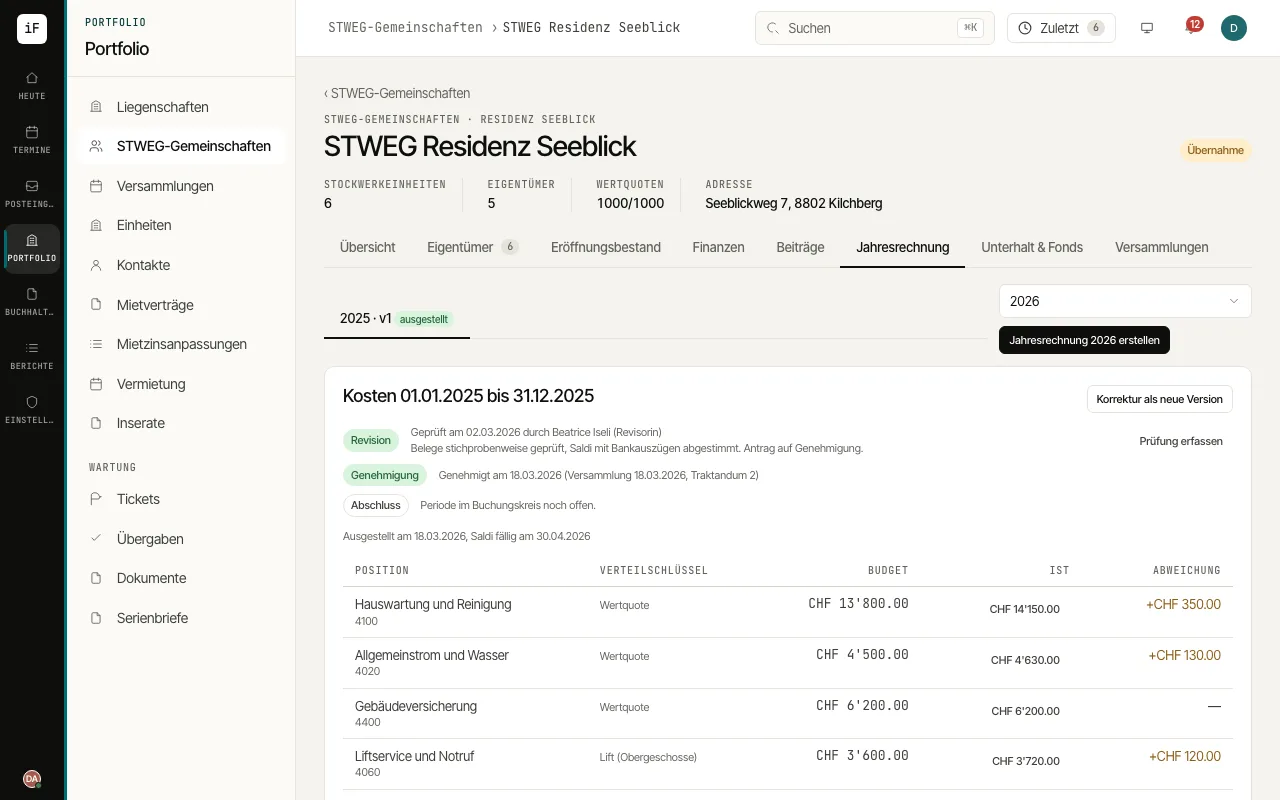
Choose the year and version. Check the status as well as the audit and approval.
Compare budget and actual costs. Open cost amounts to see the related basis.
Check the calculation per share and the advance payment claims taken into account there.
Make necessary changes with "Correct as new version". Use a draft explanation only in addition to the traceable calculation.
For the owners' tax certificates, open the «Tax certificate» area of the year and the community's accounts with «Show classification». Each account gets a class once, for example maintenance, insurance, administration, renewal fund, withdrawal from the renewal fund for maintenance, value-adding expenses or operating and heating costs. Check the classes, ideally agreed with the fiduciary, and confirm them with «Confirm classification». Only then can the tax certificates be printed.
If an invoice belongs only partly to its account's class, choose «Split booking», then the booking and the booking line, enter the parts with class and amount until «Still to distribute» shows zero, and give a reason for the split. A tax certificate is then produced as a PDF per owner and period; after a sale each owner gets their own period.