Creating property reports
Under "Reports" you create the analyses of your properties: rent roll on a reporting date, income statement for a period, balance sheet on a reporting date and the consolidated owner report. Every report can be output as a PDF.
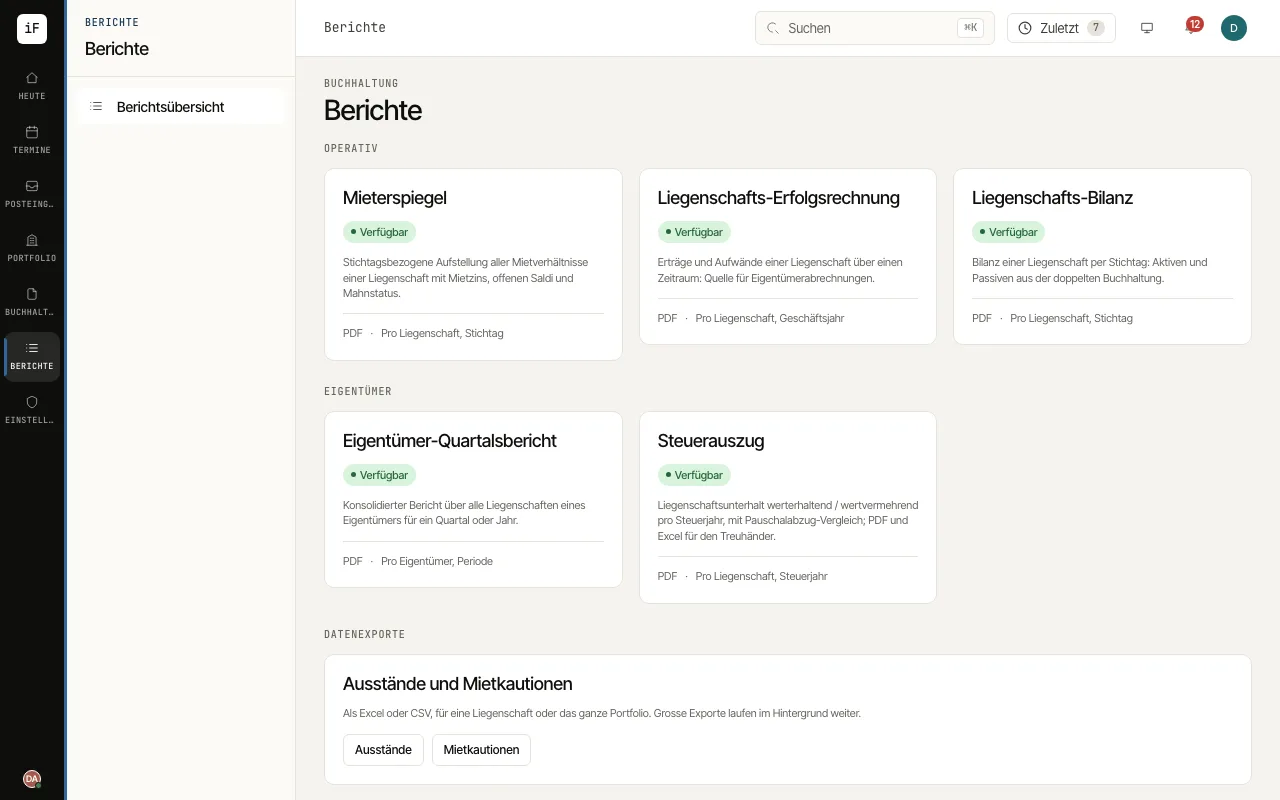
Open "Reports" and choose the report you need under "Operational" or "Owner".
Choose the "Property" and the "Reporting date", or the period with "From" and "To". In the "Rent roll" you hide rents and balances with "Show amounts" if needed.
Check the figures on screen: the "Property income statement" shows income, expenses and the result for the period, the "Property balance sheet" assets and liabilities with any difference.
Create the PDF with "Export PDF" or "View PDF". Under "Recently generated" you find earlier outputs with version and author.
For an owner's tax documents, open the «Tax statement» in the reports and choose «Property» and «Tax year»; the statement names the property's «Owner». It shows facts from the books: the «Rental income reconciliation» from the rent billed through credits and written-off rent to the amounts received and those still open at 31.12., maintenance by class and account and, only when the property management paid them from the owner's books, «Mortgage interest and financing costs» as a block of their own. Check under «Maintenance classification» how much is not yet reviewed before you pass the statement on with «Download PDF» or «Excel for the trustee».
If needed, «Show orientation aid» below opens the «Non-binding tax orientation aid»: it compares the actual costs with the flat-rate deduction, separately for the cantonal and municipal tax and the direct federal tax, lists assumptions and «Open points» and has its own PDF («Orientation aid PDF»). If the canton, the construction year or a posted rental income is missing, ImmoFlow shows what is missing and offers no estimate.