Contacting support
When the help does not answer a question or something does not work as expected, send ImmoFlow support a request straight from the app. The page you are on, the ImmoFlow version and the id of the last error are sent along automatically.
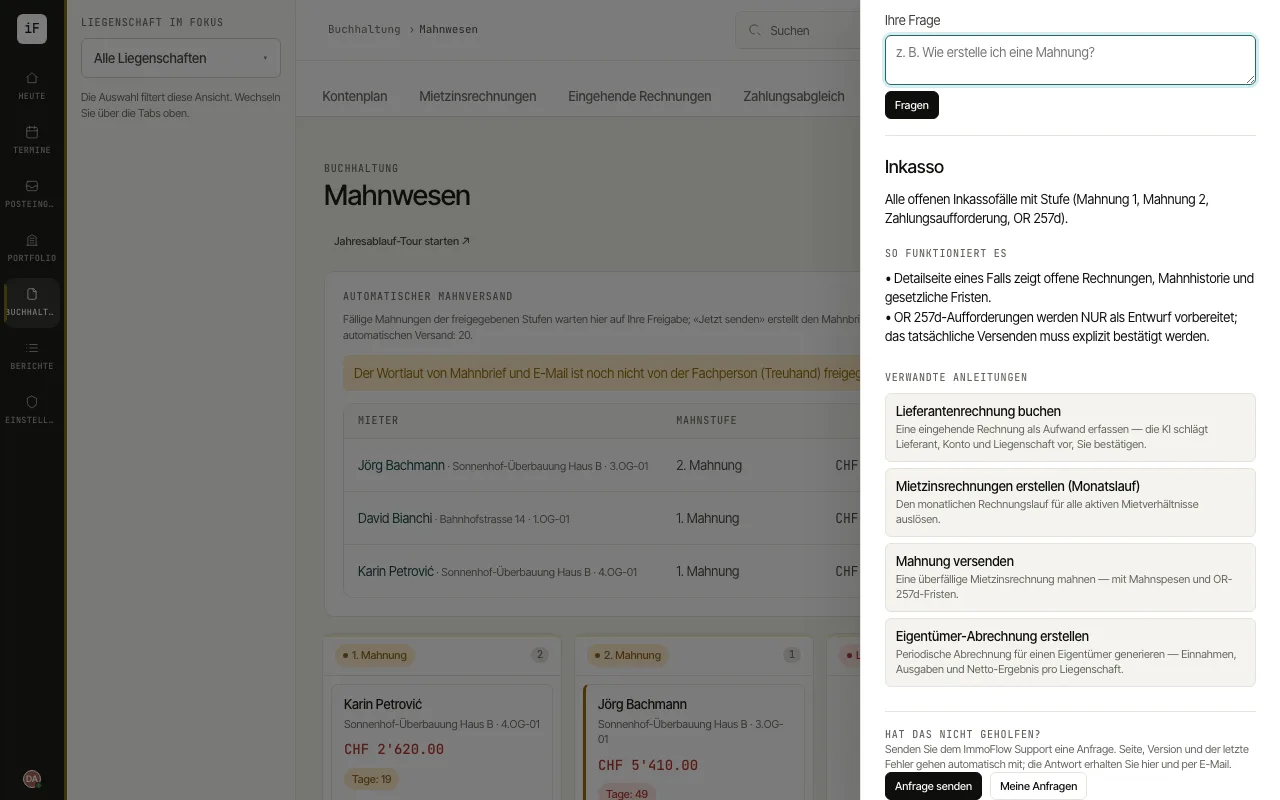
Click the question mark «Open help» at the bottom right and ask your question under «Ask the help» first. The answer is often already in a help topic.
If that did not help, click «Send a request» under «Did that not help?». Describe what you wanted to do and what happened, choose category and urgency, and add a screenshot or a PDF if useful.
After sending you get a request number (SD-…) and a confirmation by e-mail. Under «My requests» you see the status and the replies of support and answer in the thread; «Waiting for you» means support needs something from you.
When support replies, you as the author of the request get a message in the bell ("Support replied to your request SD-…") and, if switched on, a push notification. The link opens the request directly in the help. Whether you are notified this way is set in the notification settings under «Support replies».