Sending serial letters and circulars
A serial letter reaches all tenants or owners of one or more properties, for example for a water shut-off. Every recipient gets their own text in their language, as a letter to print or as an e-mail.
Click "New serial letter", or "Serial letter" on the property. Under "To" choose tenants or owners, the "Properties", the "Letter date" and, if needed, "Unit types" or "Only tenants in arrears".
Under "Delivery" choose between "Letter (PDF to print)", "E-mail" and "E-mail, else letter".
Choose a "Template" or write the "Subject" and "Text" yourself. Placeholders such as the recipient's name are filled per recipient. With "Text in another language" recipients who speak another language get their own text.
Check the "Preview per recipient": it shows the channel, the filled text and why someone is skipped, for example "no postal address" or "wants no e-mails".
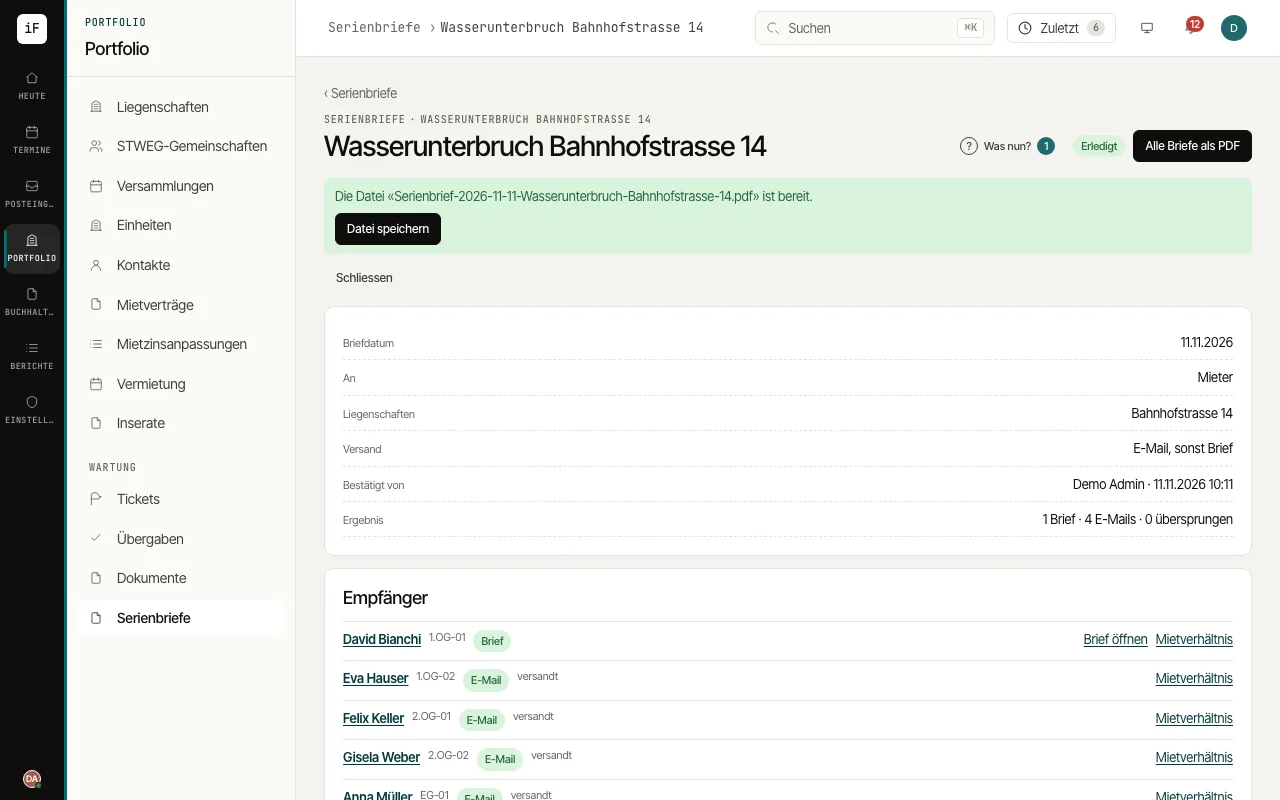
Click "Send …" and confirm the counts shown with "Send now". In the detail view you open every letter on its own or "All letters as PDF" for printing.