Taking part as a condominium owner
Here you find everything about your condominium community, arranged by section: "Overview", "Meetings", "Decisions and works", "Contributions and account", "Renewal fund", "Documents" and "Contact". The functions available follow your relationship to the community and your role.
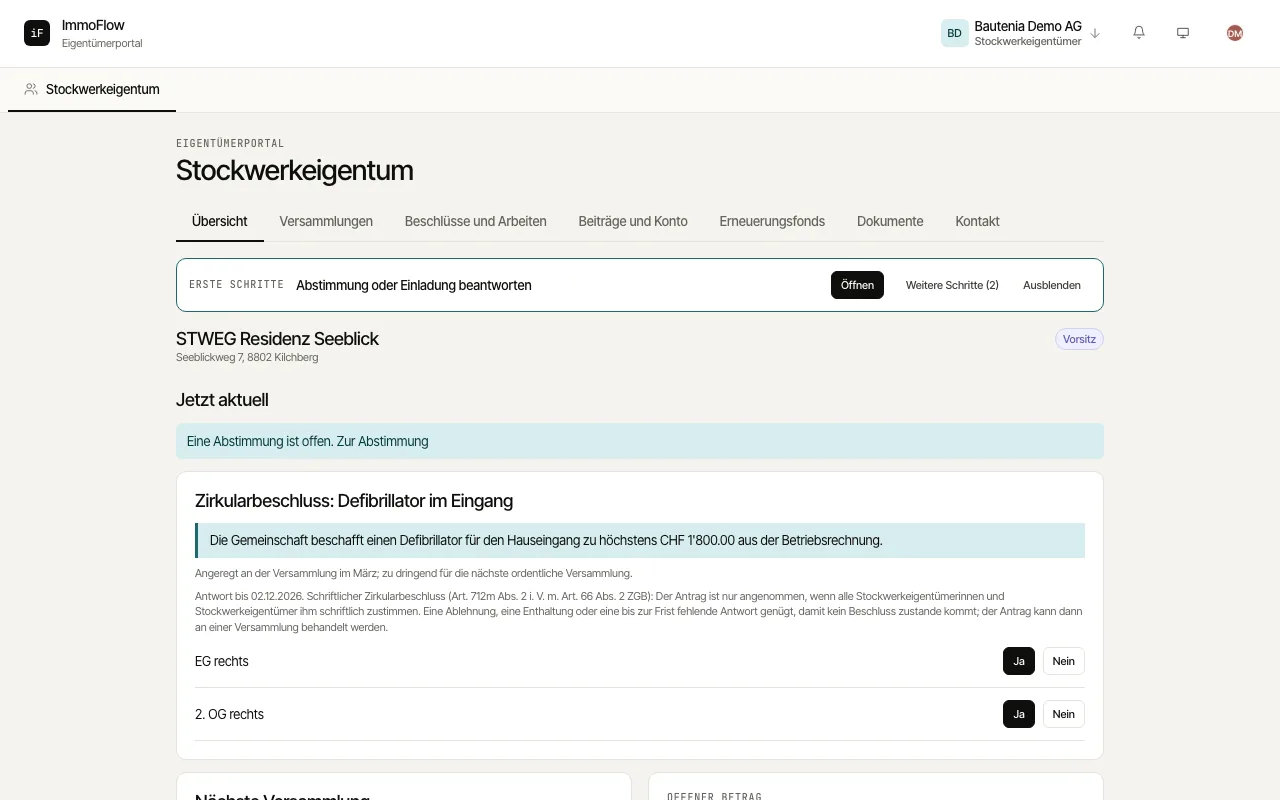
The "Overview" shows only what is current: a vote in progress, an invitation to answer, the next meeting, the amount due and the latest decisions.
Under "Meetings" you see current and planned meetings with their status (upcoming, in progress, closed) and, in the "Archive", past ones with invitation and minutes. Open a meeting and answer with "I will attend" or "I will not attend".
If you cannot attend, give a proxy with "Grant proxy": to another owner, to the management (only for the items chosen and with instructions) or, where the regulations allow it, to another person.
During a vote you vote per unit with "Yes", "No" or "Abstention". Your vote counts once; while the vote is open you change it with "Change vote". Once the vote is closed you see the result. The vote is open as with a show of hands: your vote is visible to the management. With «Request to speak» you ask for the floor on the current item; you see your place and whether the chair has given you the floor.
Under "Contributions and account" you find the amount due, the "Account statement" per unit and the payment slips; under "Renewal fund" the fund balance and your share; under "Documents" minutes, invitations, statements and the regulations with their date, filtered by type and year. «Documents» also holds your «Tax certificates» per unit and year as PDFs: your share of the community's costs and of the renewal fund, as an enclosure to your tax return.
Under "Contact" you reach the management and the officers of the community and submit a topic for the next meeting with "Submit motion".
Under «Contributions and account» each unit also shows its use (owner-occupied, rented or vacant) and, under co-ownership, every owner's share. Under a head vote you vote once for all your units; the vote cannot be split.
At the meeting you vote digitally on any device, in the room or online: the meeting page shows the item treated now with its documents. While the vote runs you see how many have voted; an interim count only where the meeting shows it. In an election you pick up to as many names as there are seats.