Exporting data to Excel
You download lists and analyses as Excel files in Swiss formats, for example for the owner, the fiduciary or your own analyses. A list export always contains every row that matches your current filter.
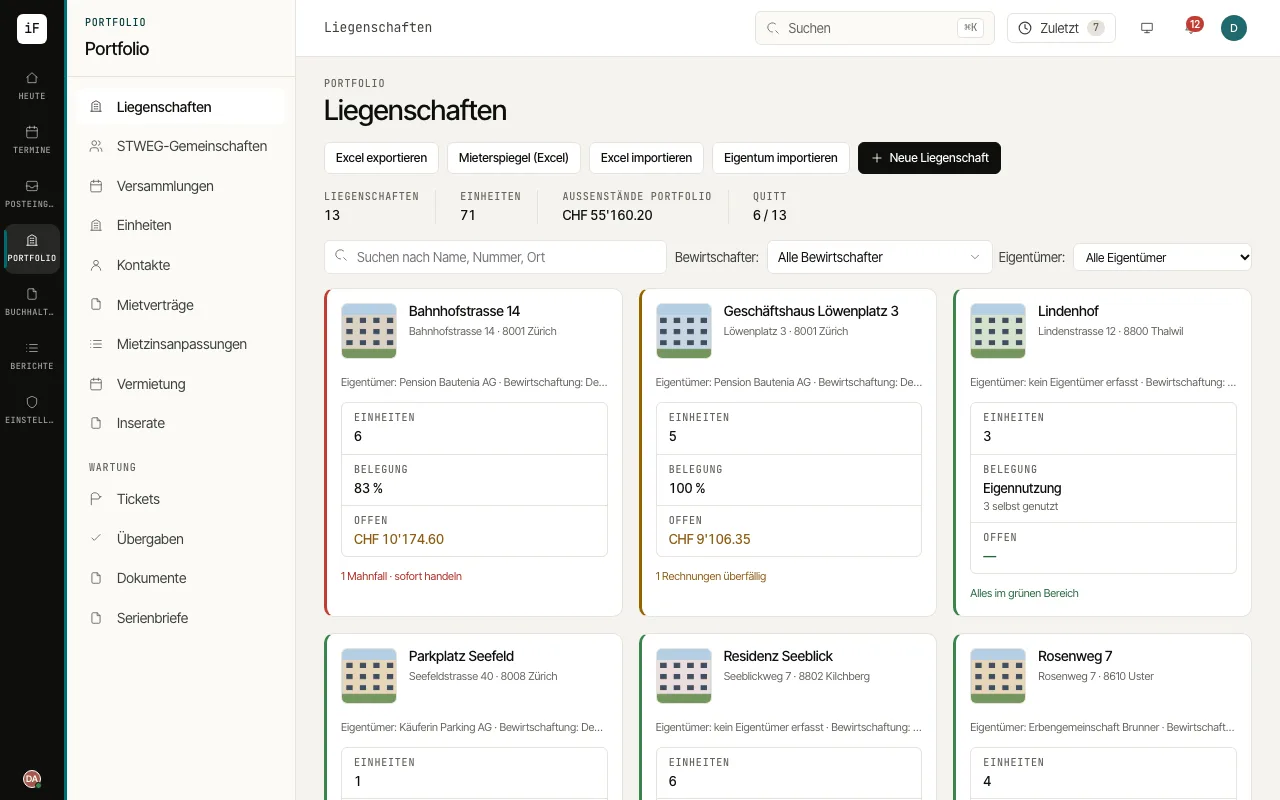
Open the "Properties", "Units", "Contacts", "Tickets" or "Tasks" list and set the search and filters as needed.
Click "Export to Excel". The file contains every matching row, not just the page shown.
For the rent roll, click "Rent roll (Excel)" in the property list or in a property, choose the "As of" date and get rents, service charges, deposits and vacancies with totals per property. The "Rent roll" report offers the same export.
You export the distribution of a service charge statement across the tenancies in the settlement period with "Excel (distribution)".