1.4
Telling the unit and the lease apart
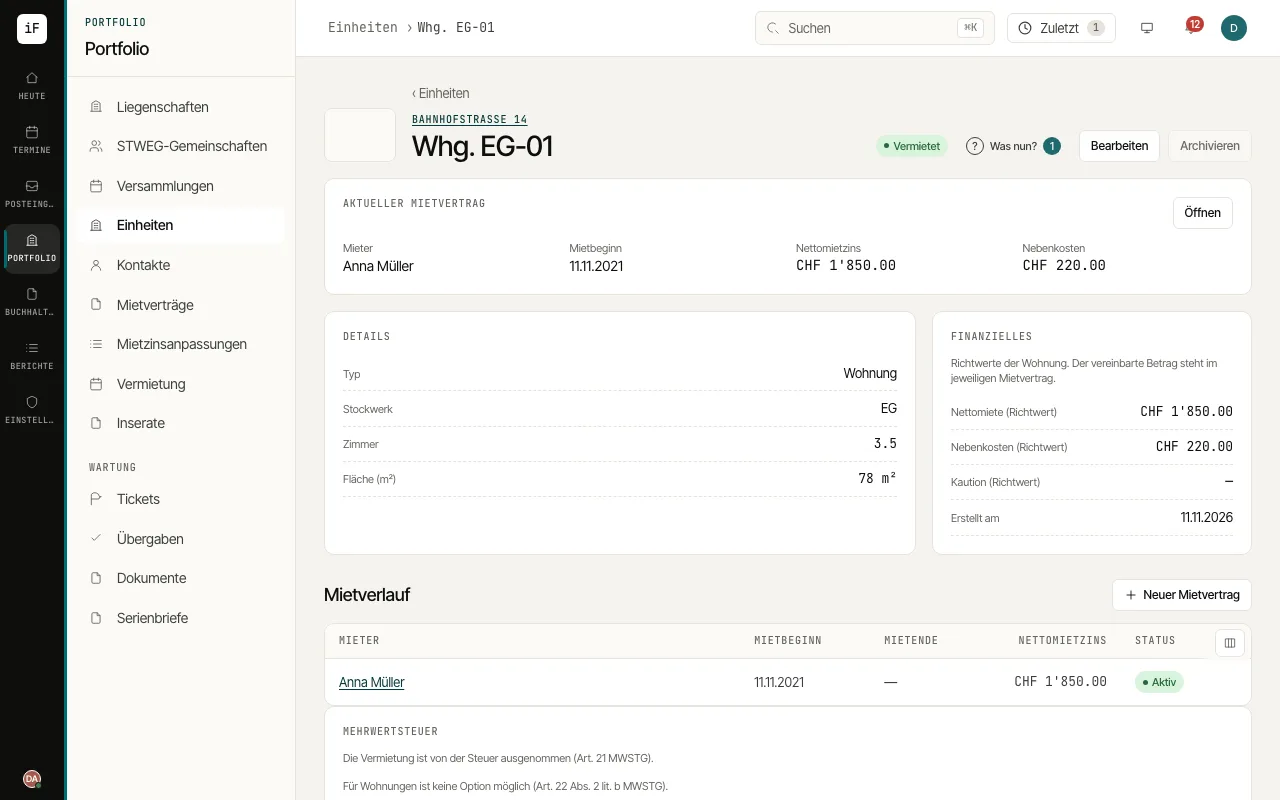
The unit describes the lettable space. Here you find its characteristics and links to tenancy history, tickets, handovers, documents, viewings and applications.
How to proceed
Check the unit's name, floor, area and number of rooms. Fittings and marketing details are under "More details & marketing".
Read the occupancy and, for a let unit, open the active lease.
Use "Tenancy history" when you want to trace an earlier tenant or a change of tenant.
Switch to the relevant area of the unit when the matter concerns a handover, a defect, a viewing or an application.