2.7
Preparing the week with focus
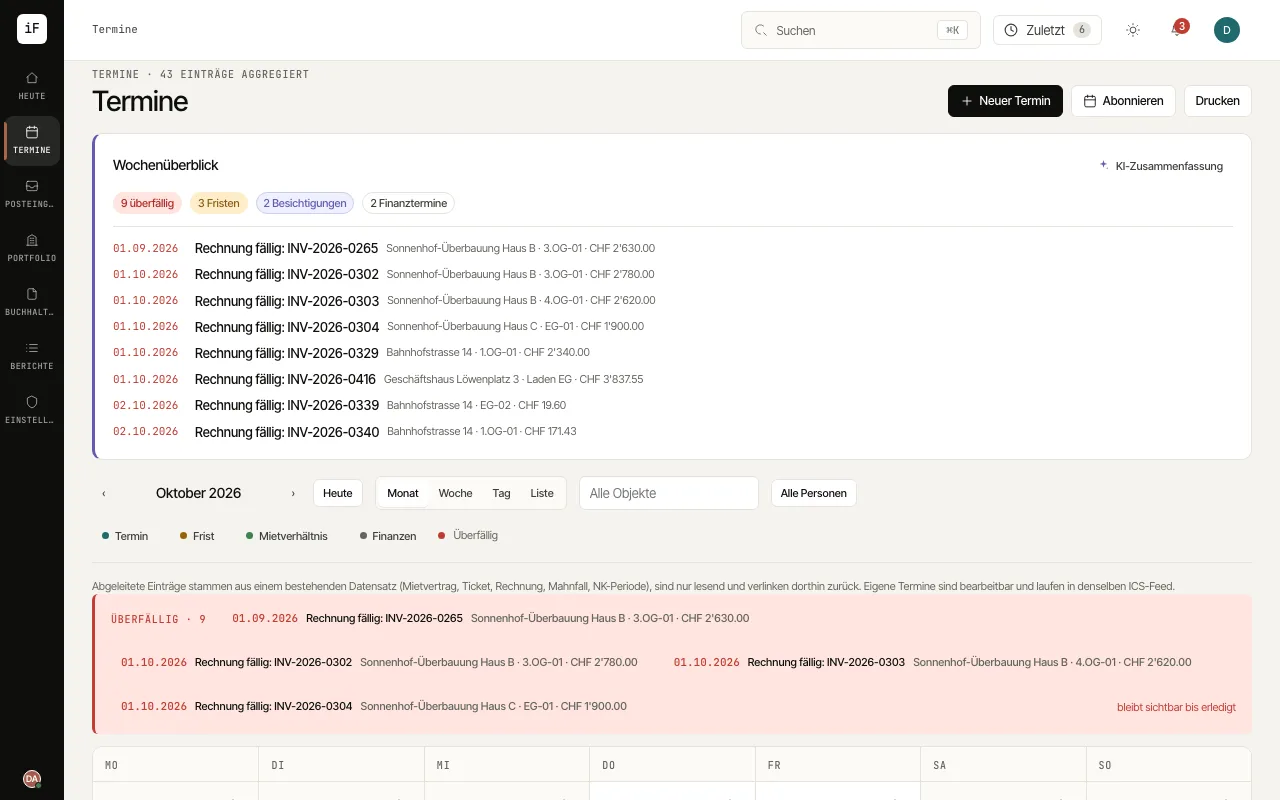
The week overview summarises dated cases for the next seven days and offers direct ways into their sources. You can request an AI summary when needed, for example when preparing the working day.
How to proceed
Open "Calendar" and, in the "Week overview", check the counts and the dated pointers for the next seven days.
Click "AI summary" and read the text together with the counts.
Open a dated pointer to check the deadline, appointment or financial case in the original.
Use "Refresh" if the underlying cases have changed.