Sharing tasks and deadlines within the team
Tasks record what has to be done internally: a call-back, a clarification, a deadline from a letter. They can be linked to a property, unit, contact, ticket or handover and appear with their due date in the "Calendar" as well.
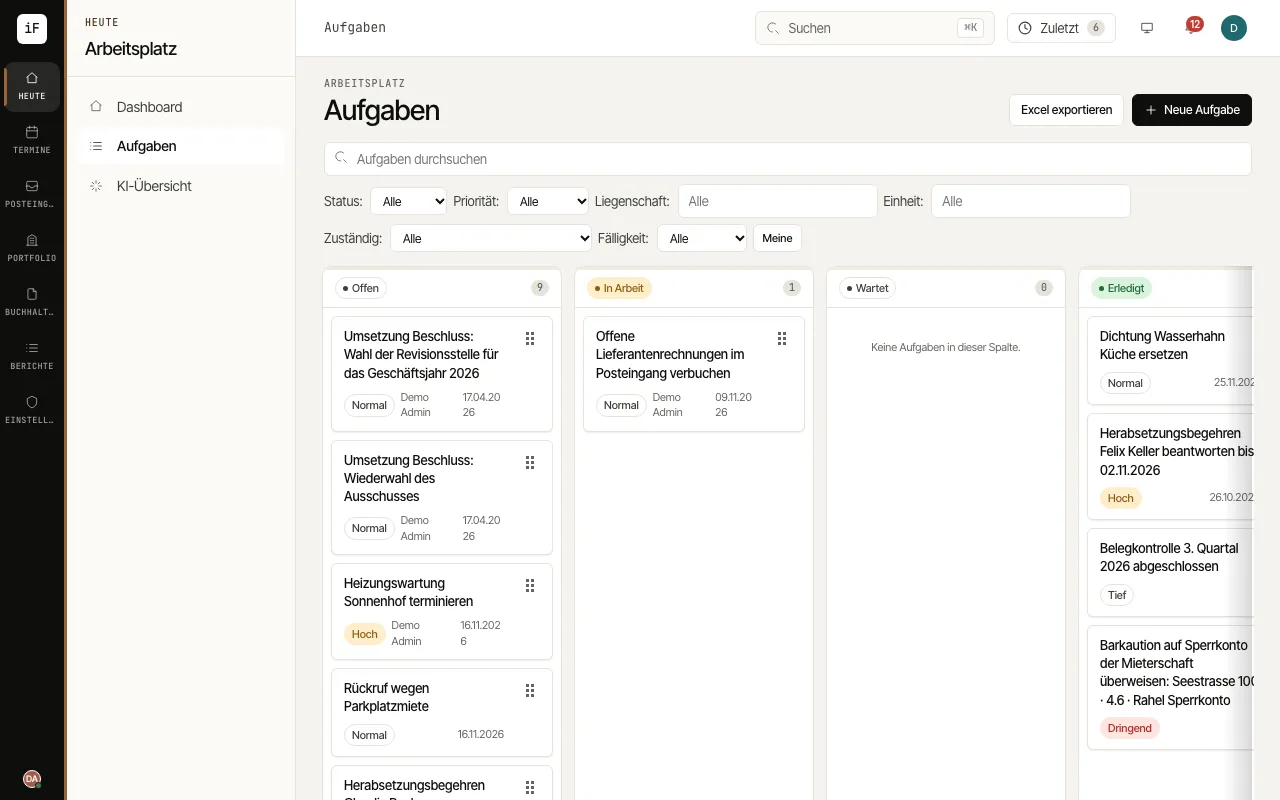
Create a task with "New task": "Title", "Description", "Due", "Priority", "Assigned to" and, if needed, the "Property" or "Unit".
Drag a card into the matching column, for example from "Open" to "In progress". Filter with "Mine" or, under "Due", with "Overdue".
If an incoming letter asks for an action or names a deadline, open "Create task/deadline" in the inbox. The AI proposes the task and deadline together with the sentence it read them from; you check the proposal and click "Create task". The letter is filed on the task.
Record progress under "Comments"; they are internal and visible to the team only. "Export to Excel" gives you the filtered list as a spreadsheet.